Key Takeaways
- Teams start comparing enterprise file sharing platforms when the tool they already own cannot prove who opened a confidential document, or cannot pull it back once someone downloads it
- Most enterprise file sharing is built for collaboration first, so the controls that matter for confidential documents, control after download and a complete audit trail, are often the weakest part
- Encryption is table stakes across every serious platform, so what separates them for confidential documents is what happens after a file is opened or downloaded
- Virtual data rooms such as CapLinked sit at the control-first end, with per-party permissions, digital rights management with revocation, watermarking, and an exportable audit trail at a published flat rate
- Ownership matters on a multi-year agreement, and two names here changed hands recently: ShareFile is now owned by Progress Software and Tresorit by Swiss Post
- General cloud suites suit internal, lower-sensitivity work, and they are also where most confidential-document exposure starts because control stops at the transfer
- The right platform depends on how sensitive the document is, how many outside parties must see it, and which compliance obligations apply, not on which brand you already recognize
Table of Contents
ToggleThe best enterprise file sharing platforms for confidential documents are not always the ones with the biggest name or the deepest collaboration features. Once a document turns genuinely sensitive, a financial model, a cap table, a licensing file, a set of board minutes, the question shifts from how easily people can work on it together to how tightly you can control it after it leaves your hands.
This comparison covers 10 platforms across pricing, security, post-download control, and compliance, ordered from the ones built to control confidential documents to the ones built mainly to share everyday files.
Why Confidential Documents Break General File Sharing
Most enterprise file sharing handles ordinary work well. The gaps appear at the point a document becomes confidential and starts moving to people outside your organization, which is usually where a tool built for collaboration runs out of control. Five failure points recur, and each one has a capability that answers it.
| Problem | What it leads to | What to look for |
|---|---|---|
| A share link can be forwarded | The document reaches people you never invited | Per-party access tied to identity, not a link |
| Access is never revoked | A party who dropped out still holds the file | DRM with post-download revocation |
| Thin activity logging | You cannot prove who opened what, or when | A complete, exportable audit trail |
| Permissions do not scale | Reconfiguring access as reviewers change is slow | Group-level permission templating |
| Control ends at download | The file lives on a laptop indefinitely | Watermarking and remote revocation |
Table 1. Where general file sharing falls short on confidential documents, and what to look for instead
The risk is not abstract, and it is mostly human rather than technical. Access that expands quietly, a link that travels further than intended, a file that outlives the reason it was shared. Those are the failures a confidential-document platform is designed to prevent, and the ones a general suite tends to leave open.
| Common Mistake
Treating confidential-document exposure as a hacking problem. In the 2025 Verizon Data Breach Investigations Report, roughly 60% of breaches involved a human element such as error or misuse, with misdelivery, sending sensitive data to the wrong person, among the most common. Third-party involvement in breaches doubled to about 30% year over year. Controls that assume people will slip, and limit the damage when they do, matter more than controls that assume a firewall holds. |
This is the assumption worth challenging before you shortlist anything. The instinct is to pick the best-known platform and trust the brand. For confidential documents, the more useful question is narrower: how sensitive is this material, who outside your walls has to see it, and what happens to it after they do. Answer that first, then match a platform to it.
Best Enterprise File Sharing Platforms for Confidential Documents: The Short Answer
If you need the summary before the detail, here is where the 10 enterprise file sharing platforms land on the questions that decide a confidential-document tool.
- Which platforms are built to control confidential documents after sharing? Virtual data rooms like CapLinked, plus governance-first and zero-knowledge tools such as Kiteworks and Tresorit. General suites like SharePoint, Google Workspace, and Dropbox are collaboration-first and give up most control at download.
- Which publish their pricing? CapLinked, Box, Dropbox Business, Tresorit, Egnyte, Microsoft, Google, and Sync.com publish plan or per-user pricing on their own sites. Kiteworks is quote-led. All figures below are current as of September 2026.
- Which keeps control after download? CapLinked applies digital rights management with revocation and remote shred through FileProtect. Most general suites do not, which is the single biggest divide in this list.
- Which fits which document? Deal, regulated, and intellectual-property material shared with outside parties points to a virtual data room. Org-wide governance points to Box, Egnyte, or Kiteworks. Privacy-first storage points to Tresorit or Sync.com. Everyday internal work runs fine on Microsoft, Google, or Dropbox.
The 10 Best Enterprise File Sharing Platforms for Confidential Documents
The order runs from the enterprise file sharing platforms built to control confidential documents to the ones built mainly to share files. It reflects fit for sensitive material rather than a single quality score, so read each profile for where the platform is genuinely strong and where it stops.
1. CapLinked
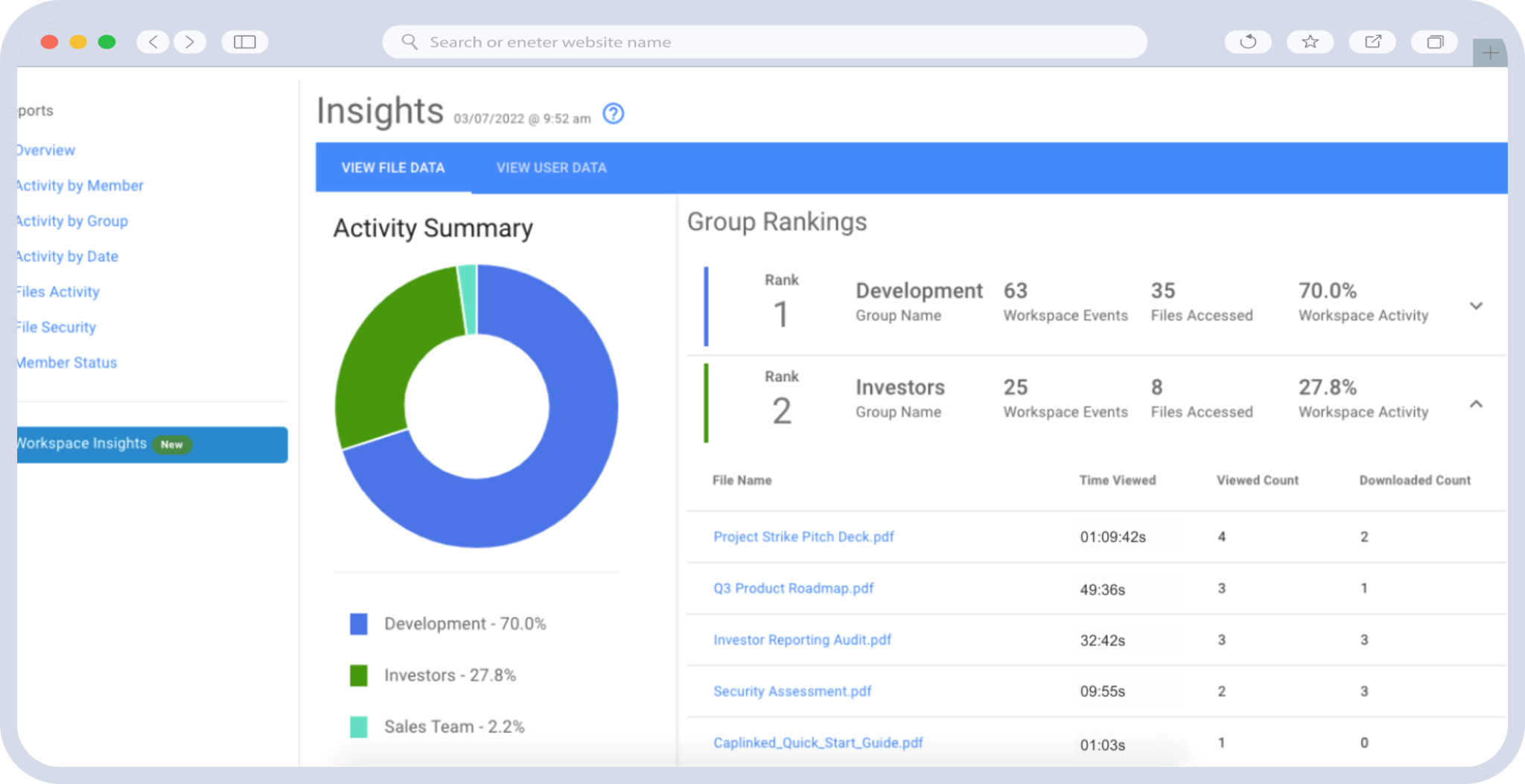
CapLinked is a virtual data room built around fast setup and control that survives download, sold at published flat-rate pricing rather than by quote. Teams reach for it when they need enterprise-grade controls on confidential documents without an enterprise procurement cycle.
Common challenges CapLinked resolves
- Rooms go live in about 15 minutes with no plugins for a reviewer’s IT department to block, and drag-and-drop upload preserves your folder structure while automatic indexing and OCR make scanned files searchable on arrival
- Control continues after a file is downloaded, because FileProtect digital rights management revokes access to saved copies and remote shred removes them
- Watermarks carry viewer name, email, and IP address on every page, so a leaked page traces to a person
- Group-level permission templating keeps access moving as fast as the reviewer list changes
- Structured Q&A is included at the base tier rather than sold as an add-on
CapLinked pros
- Published pricing on both tiers. A real number on a public page, where most control-first providers publish nothing.
- A 14-day trial you can start online with full Team features, including watermarking and DRM
- Post-download revocation and remote shred. The capability that matters most when a party withdraws mid-process.
- Security backing including SOC 2 and SSAE 18 Type II, ISO 27001, HIPAA, and 256-bit encryption in transit and at rest on AWS, documented on the security page
- Independence. CapLinked does not share a parent company with any other provider here.
CapLinked cons
- The Enterprise figure is a published starting point with the final number quoted, so buyers with clear enterprise requirements still have a sales conversation
- No mergers-and-acquisitions pipeline or post-merger integration workflow, which serial acquirers will need elsewhere
- Not the cheapest option here for a simple single-party share
CapLinked is ideal for
- Deal, regulated, and IP-sensitive workflows shared with external parties
- Teams that must produce an access record after close, covered in the guidance on audit-ready document control
- Buyers whose external reviewers work behind IT that blocks plugin-dependent software
CapLinked pricing
Team is $399 per month with 5GB storage, unlimited guest users, and no long-term contract. Enterprise starts at $500 per month or $5,000 per year with a custom quote and a written-quote price match.
See the pricing page.
What users highlight
Three themes recur in public reviews: how quickly a room stands up, the absence of plugin friction for outside users, and remote shred as a control buyers did not know they needed until a party withdrew.
2. Kiteworks
Kiteworks is a private content network built for heavily regulated organizations that need to consolidate secure file sharing, managed transfer, and email protection under one governance layer.
Common challenges Kiteworks resolves
- Consolidates several secure-communication channels under one compliance and data-loss-prevention policy
- Covers a wide set of regulations for organizations with formal governance programs
- Centralizes audit and reporting across sharing methods
Kiteworks pros
- Broad compliance and governance coverage
- Strong data-loss-prevention and policy controls
- One control plane across multiple communication channels
Kiteworks cons
- Pricing is quote-led, so budgeting requires a sales conversation
- Heavier to deploy than a room you stand up the same afternoon
- Oriented to enterprise governance programs rather than a single confidential transaction
Kiteworks is ideal for
Large, regulated enterprises standardizing secure external communication across the whole organization rather than running one sensitive deal.
Kiteworks pricing
Not published. Quote-led, scoped to the deployment.
3. Tresorit
Tresorit is a Swiss, zero-knowledge platform where files are encrypted on the device before they reach the cloud, which makes it a security-first choice for teams that cannot risk provider-side access.
Common challenges Tresorit resolves
- Encrypts content client-side, so even the provider cannot read stored files
- Offers European data residency for organizations with sovereignty requirements
- Carries recognized certifications for regulated collaboration
Tresorit pros
- Independently audited zero-knowledge encryption
- SOC 2 Type II, ISO 27001, and HIPAA coverage
- Swiss Post ownership, which gives it unusual institutional backing
Tresorit cons
- The zero-knowledge architecture limits real-time co-editing and some structured external-review workflows
- Per-user pricing scales with team size
- Lighter deal-grade Q&A and post-download revocation than a virtual data room
Tresorit is ideal for
Privacy-first regulated teams whose main need is encrypted storage and controlled distribution rather than a multi-party review process.
Tresorit pricing
Publishes per-user Business pricing, roughly $18 to $24 per user per month billed annually as of September 2026. Owned by Swiss Post since 2021.
4. Box
Box is an enterprise content cloud that layers governance, workflow, and AI on top of storage, aimed at organizations managing large volumes of content across many teams.
Common challenges Box resolves
- Applies governance, retention, and permissions across a large content estate
- Integrates widely with enterprise applications and identity providers
- Covers a broad set of compliance regimes for regulated content
Box pros
- Strong enterprise security and governance
- Wide integration footprint
- Scales to very large user counts and content volumes
Box cons
- Built for ongoing internal content management more than deal-grade external disclosure
- Some advanced controls sit in higher tiers
- Post-download control is thinner than a purpose-built data room, and outside reviewers sometimes hit access or office-tool friction
Box is ideal for
Large enterprises standardizing content governance across the organization, with confidential external sharing as one use case among many.
Box pricing
Publishes per-user business tiers, roughly $5 to $35 per user per month as of September 2026.
5. Progress ShareFile
ShareFile is a secure, client-facing sharing platform with portals, e-signature, and document-request workflows, aimed squarely at professional-services firms sharing with their own clients.
Common challenges ShareFile resolves
- Gives clients a branded portal for exchanging documents
- Bundles e-signature and structured document requests into the sharing flow
- Targets regulated industries such as financial services and healthcare
ShareFile pros
- Strong external client experience
- Built-in e-signature and request workflows
- Long track record in regulated professional services
ShareFile cons
- Per-user cost adds up on large external reviewer lists
- Deal-grade per-party segregation and post-download control are thinner than a data room
- Ownership has changed hands twice recently, from Citrix to Cloud Software Group to Progress Software in October 2024, worth weighing on a multi-year commitment
ShareFile is ideal for
Accounting, legal, and advisory firms whose main pattern is sharing with clients rather than running a competitive multi-party process.
ShareFile pricing
Publishes per-user plans as of September 2026. Owned by Progress Software.
6. Egnyte
Egnyte pairs content collaboration with governance and hybrid deployment, so organizations can keep some data on-premises while still sharing and controlling it centrally.
Common challenges Egnyte resolves
- Supports hybrid cloud and on-premises storage for data-residency needs
- Applies granular governance and compliance controls across content
- Provides industry compliance templates for regulated teams
Egnyte pros
- Governance depth with granular controls
- Hybrid deployment for residency requirements
- Compliance tooling for regulated mid-market and enterprise teams
Egnyte cons
- Per-user pricing scales with reviewer count
- Oriented to ongoing governance rather than a time-boxed confidential deal room
- Post-download revocation is not its core strength
Egnyte is ideal for
Regulated mid-market and enterprise teams that need hybrid storage and governance across day-to-day content.
Egnyte pricing
Publishes per-user tiers, roughly $10 to $55 per user per month as of September 2026.
7. Microsoft SharePoint and OneDrive
SharePoint and OneDrive are the file layer of Microsoft 365, and for confidential documents their strength, deep integration with the tools your team already uses, is also where the risk sits.
Common challenges Microsoft resolves
- Handles internal document management and collaboration inside the Microsoft ecosystem
- Provides single sign-on and identity integration for licensed organizations
- Keeps cost efficient for teams already paying for Microsoft 365
Microsoft pros
- Ubiquity and deep Microsoft 365 integration
- Familiar to most internal users
- Cost-efficient where licenses already exist
Microsoft cons
- External confidential sharing is configuration-heavy and a common source of over-permissioning and forwardable-link risk
- No native post-download revocation or identity watermarking
- Audit depth is thinner than deal or compliance readers need, a recurring theme in practitioner forums asking how to share externally and still keep a file from leaking
Microsoft is ideal for
Internal collaboration and document management for organizations standardized on Microsoft 365.
Microsoft pricing
Bundled with Microsoft 365 business plans, published per-user as of September 2026.
8. Google Workspace and Drive
Google Workspace is collaboration-first, and few tools match it for real-time co-editing. That design serves everyday work better than it serves a confidential document headed outside the company.
Common challenges Google resolves
- Enables fast real-time collaboration on shared documents
- Keeps internal file access simple and low-friction
- Integrates tightly across the Workspace apps
Google pros
- Best-in-class real-time co-editing
- Low friction for internal users
- Straightforward for lower-sensitivity external sharing
Google cons
- Link-based sharing is easy to over-expose
- No native DRM revocation or per-page identity watermarking
- Audit trail is lighter than confidential-document workflows require, a gap the guidance on moving beyond consumer file transfer walks through
Google is ideal for
Everyday internal collaboration and low-sensitivity external sharing.
Google pricing
Publishes per-user Workspace tiers as of September 2026.
9. Dropbox Business
Dropbox Business is dependable sync and share with a simple external-sharing experience, which is its strength and its ceiling for confidential material.
Common challenges Dropbox resolves
- Keeps files synced and current across devices and teams
- Makes external sharing quick for large files
- Provides reliable version history
Dropbox pros
- Reliable sync and large-file handling
- Simple, familiar sharing
- Strong version history
Dropbox cons
- Reviewers commonly ask for deeper visibility into who accessed files and how often
- Advanced admin and security controls sit in higher tiers
- Control ends at download
Dropbox is ideal for
Teams whose main need is dependable sync and straightforward sharing rather than controlled disclosure.
Dropbox pricing
Publishes per-user business tiers, roughly $15 to $30 per user per month as of September 2026.
10. Sync.com
Sync.com is a privacy-first, zero-knowledge platform priced for smaller teams, which makes strong encryption reachable at a lower cost than most secure options.
Common challenges Sync.com resolves
- Encrypts files end to end at an accessible price
- Supports controlled distribution with passwords and expiring links
- Keeps confidentiality strong for storage and simple sharing
Sync.com pros
- Strong zero-knowledge encryption
- Lower cost than most secure alternatives
- Straightforward for privacy-focused small teams
Sync.com cons
- Oriented to small and midsize teams, with lighter enterprise admin and reporting
- Limited structured external-review and Q&A workflows
- Limited post-download control once a file is decrypted and downloaded
Sync.com is ideal for
Privacy-conscious small teams whose main need is encrypted storage and secure distribution.
Sync.com pricing
Publishes team plans as of September 2026.
Enterprise File Sharing Pricing Comparison
Pricing is one of the harder parts of any comparison, because the model matters more than the headline number. Per-user pricing rises with every outside reviewer you add, which is the wrong direction on a process with dozens of external counsel and advisors. Flat and per-account pricing stay predictable. Quote-led pricing means you cannot budget until you finish a sales cycle.
Table 2. Published pricing and the cost driver to check, as of September 2026
| Provider | Starting price / model | Published? | Cost driver to check |
|---|---|---|---|
| CapLinked | $399/mo Team, flat | Yes | Storage above 5GB |
| Sync.com | Team plans, per account | Yes | Feature tier |
| Dropbox Business | $15 to $30/user/mo | Yes | Reviewer count |
| Box | $5 to $35/user/mo | Yes | Tier for advanced controls |
| Google Workspace | Per user | Yes | Reviewer count |
| Microsoft 365 | Per user, bundled | Yes | Add-ons for advanced controls |
| Tresorit | $18 to $24/user/mo | Yes | Reviewer count |
| Egnyte | $10 to $55/user/mo | Yes | Reviewer count, tier |
| ShareFile | Per user | Yes | Reviewer count |
| Kiteworks | Not published | No | Full quote scope |
The hidden cost in a per-user model is not the sticker price, it is the cost of adding the next external reviewer, and the one after that. In a competitive process, flat or per-account pricing removes the incentive to ration access, which is the opposite of what you want when a reviewer who cannot get in is a reviewer who slows the deal.
| Worth Knowing
The downside case is expensive. The 2025 IBM Cost of a Data Breach Report put the global average breach at $4.44 million and the United States average at a record $10.22 million. Intellectual property carried the highest per-record cost of any data type at $178, which is the number to keep in mind when the confidential file is a patent portfolio or a product roadmap rather than a marketing deck. |
Matching a Platform to Your Confidential Documents
The right choice shifts with how sensitive the document is, how many outside parties touch it, and which obligations apply.
| Use case | Weight heaviest | Platforms that fit |
|---|---|---|
| M&A and deal diligence | Per-party permissions, DRM, audit depth | CapLinked, then enterprise incumbents at large cap |
| Regulated internal governance | Retention, DLP, org-wide policy | Box, Egnyte, Kiteworks |
| Privacy-first storage | Zero-knowledge encryption | Tresorit, Sync.com |
| Client delivery | Portals, e-signature | ShareFile |
| Everyday collaboration | Real-time co-editing, ecosystem | Microsoft, Google, Dropbox |
| Defense and aerospace | CMMC alignment, IP whitelisting, DRM | CapLinked |
Table 3. Which platforms fit which confidential-document use case
Regulated sectors carry obligations that never appear in a feature grid. A defense contractor evaluating a CMMC-compliant data room is running a different check than a fundraising team optimizing for setup speed, and a healthcare or life-sciences team weighing legal and compliance requirements is running a third. Match the platform to the obligation.
| Did You Know
Demand for these tools is climbing fast. Grand View Research valued the enterprise file synchronization and sharing market at about $9.5 billion in 2023 and projected it to reach roughly $38.5 billion by 2030, a compound annual growth rate near 23%, per its EFSS market report. More tools and more sharing also mean more ways for a confidential document to end up somewhere it should not. |
How to Evaluate a Platform Before You Commit
Before you shortlist, put every candidate through the same set of questions, and run your current tool through them too.
- Does control survive the download? Ask whether the platform can revoke or shred a file after it lands on someone’s device, or whether its control ends the moment the file leaves.
- Can you prove who saw what? Look for a complete, exportable audit trail down to the individual and the document, not a summary of logins.
- Which controls are included, and which cost extra? Advanced security often sits in a higher tier. Confirm watermarking, DRM, and audit depth are in the plan you will actually buy.
- Does it match your compliance obligation? Map the certifications to the regime you answer to, HIPAA, CMMC, SOC 2, or GDPR, before you weigh anything else.
- How fast does it stand up, and will reviewers need a plugin? A room that takes days, or a plugin a reviewer’s IT blocks, delays the work. Browser-based access removes both.
- What does it cost at your real reviewer count and volume? Multiply per-user or per-tier pricing by your actual external list and document volume, not the vendor’s example.
- Can you test it yourself first? An online trial lets you see how the platform handles your own documents before you commit a budget or sign a contract.
Score each candidate the same way and the shortlist tends to sort itself. The platforms that keep control after download and produce a clean audit trail separate quickly from the ones that stop at the transfer.
Why CapLinked Fits Confidential Documents Best
Deal and compliance teams choose CapLinked when they need a room that stands up quickly, holds control after documents leave it, and costs what the pricing page says it costs.
Setup runs in minutes without plugins, so a reviewer’s IT department has nothing to block. Permission templating keeps pace with a reviewer list that changes weekly. FileProtect and remote shred mean a party that withdraws does not keep your financial model, and identity watermarking ties any leaked page to a person. Structured Q&A keeps several outside groups from receiving contradictory answers, and the collaborative document editor keeps versions in one place. The whole thing is verifiable before you spend anything, through a trial that starts without a call.
Where that is not what you need, this guide has said so. Privacy-first storage points to Tresorit or Sync.com. Org-wide governance points to Box, Egnyte, or Kiteworks. Everyday collaboration points to Microsoft, Google, or Dropbox. For confidential documents that must stay controlled after they are shared, the case for enterprise information control is that control does not end at the download button.
| Compare CapLinked against your own shortlist
Start a 14-day free trial with no sales call, or get an enterprise quote with a written price match. |
Frequently Asked Questions
What is the most secure way to share confidential documents?
Share through a platform that ties access to a person rather than a link, records every view in an exportable audit trail, and keeps control after download through digital rights management. Virtual data rooms are built for that combination.
Are Google Drive, SharePoint, and Dropbox secure enough for confidential documents?
They encrypt files and suit everyday work, but they lack native post-download revocation, per-page identity watermarking, and the deep audit trail confidential external sharing needs. For sensitive material headed to outside parties, they leave gaps.
What is the difference between a virtual data room and enterprise file sharing?
General file sharing helps people collaborate. A virtual data room controls a document during and after disclosure, with per-party permissions, watermarking, revocation, and a complete audit trail. The difference shows up once outside parties are involved.
What does digital rights management do after a document is downloaded?
It keeps the file under the owner’s control off the platform. Depending on the tool, that means blocking printing and re-sharing, applying watermarks that identify the viewer, continuing to log activity, and revoking access so saved copies stop opening.
Which certifications matter for sharing confidential documents?
SOC 2 or SSAE 18, ISO 27001, and encryption standards cover general security. Regulated work adds specific regimes: HIPAA for health data, CMMC and FedRAMP for defense and government, and GDPR for European data. Match the certification to your obligation.
How do you keep control of a document after you share it?
Use digital rights management with revocation, apply identity-based watermarks, set access to expire, and keep an audit trail. No tool stops a photograph of a screen, so the goal is to bound exposure, deter redistribution, and trace any leak to a person.
How fast can you set up a secure room for confidential documents?
A modern virtual data room can be live in minutes rather than days. Plugin-free platforms let external reviewers open documents in a browser without downloads, which removes the setup delay that plugin requirements and IT approvals add.