Table of Contents
ToggleA Crowded Market, Clouded by Buzzwords
In 2026, the virtual data room (VDR) market is more saturated—and more confusing—than ever. New entrants appear every year, often pitching flashy interfaces, vague promises of AI-powered automation, and opaque “enterprise-grade” offerings with little substance behind them.
For buyers, the challenge isn’t finding a VDR—it’s figuring out which ones are secure, compliant, and actually usable for high-stakes collaboration. Whether you’re managing M&A diligence, handling Controlled Unclassified Information (CUI), supporting litigation workflows, or sharing IP with global partners, you need more than file storage.
You need infrastructure that: – Proves compliance under audit – Protects sensitive data from internal and external threats – Scales across teams without punishing your budget
This guide will help you make an informed VDR selection in 2026 by focusing on the features that matter—and warning signs that should make you walk away.
What a VDR Is (and Isn’t) in 2026
A modern virtual data room is more than a glorified file share. Done right, a VDR becomes the backbone for secure collaboration in regulated or sensitive workflows. At minimum, it should support:
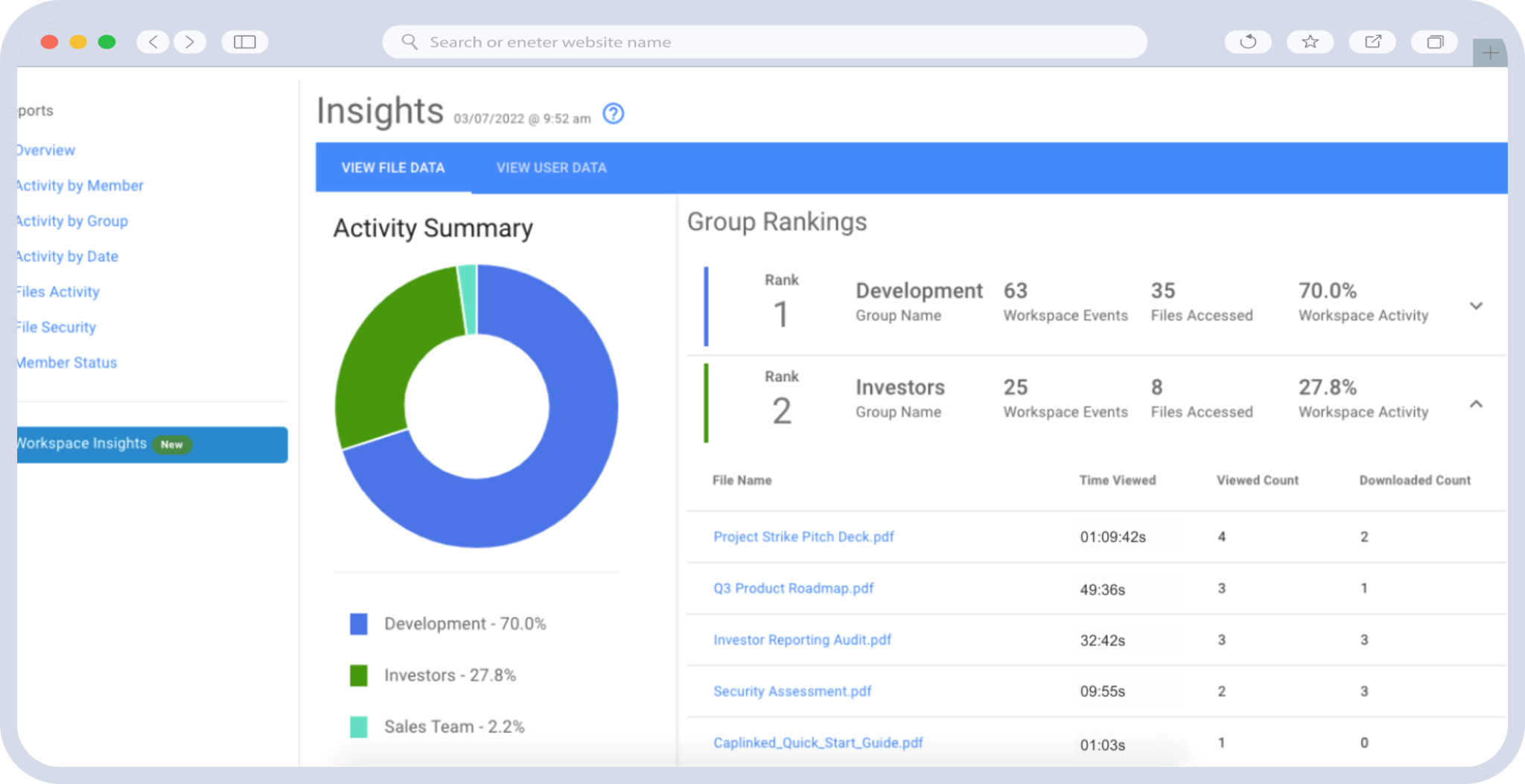
- Role-based and attribute-based access control
- Immutable audit logs
- Document-level DRM (e.g. view-only, no print/download, watermarking)
- Activity tracking and reporting
- Easy third-party access without IT overhead
What it shouldn’t be: – A locked-down file share that requires constant admin help – A black box that doesn’t log actions or support exportable audits – A legacy UI bolted onto “AI” features with no security model
If you’re evaluating VDRs in 2026, this is the baseline. Anything less is a liability.
1. Compliance-Ready Architecture (Not Just Marketing Claims)
Before you evaluate UI or features, look under the hood: where is the platform hosted, and how does it align with relevant frameworks?
Your VDR should support (or inherit controls from): – FedRAMP High – CMMC 2.0 – NIST SP 800-171 – HIPAA, SOX, or GDPR as applicable
CapLinked, for example, is hosted on AWS GovCloud (US), which supports FedRAMP High, DoD IL5, and ITAR requirements.
What to watch out for: – Vendors that say “aligned” with frameworks but offer no mapping – VDRs hosted in global regions with unclear data sovereignty – No audit trail or evidence capabilities
2. Access Control Granularity
You don’t want everyone to see everything. A strong VDR allows you to segment access:
- By user role (e.g., banker, attorney, internal lead)
- By project or deal phase
- By geography or device
Look for: – Support for RBAC and ABAC – SAML or OIDC-based SSO – Support for MFA, IP whitelisting, and session controls
Red flag: any platform that only offers basic folder-level access or doesn’t support conditional permissions is behind the times.
3. Real DRM and Post-Download Control
True document security means protecting files after they’ve been downloaded. That requires:
- Watermarking (dynamic and user-specific)
- Expiration dates
- View-only permissions
- Remote file revocation
CapLinked’s FileProtect module does exactly this—without breaking usability for the recipient.
Red flag: Platforms that claim “DRM” but don’t offer post-download protection or only support PDFs.
4. Auditability and Log Export
In regulated workflows, you’ll eventually need to prove: – Who accessed a file – What they did with it – When they logged in and from where
A real VDR provides exportable logs that: – Are immutable and time-stamped – Include document-level activity (not just login history) – Can be filtered by user, time, or file
CapLinked supports audit trails aligned to FedRAMP and NIST.
Red flag: If the platform doesn’t let you export activity logs or hides them behind a support ticket.
5. Transparent Pricing and Feature Access
In 2026, buyers should not accept: – Per-page fees – User-count pricing – Tiered access to basic features
Look for: – Flat-rate or transparent tier pricing – No charge for onboarding or support – All features included in base plans
CapLinked, for instance, includes all VDR features—even in self-serve Team plans—and publishes pricing for full transparency.
Red flag: If you have to book three demos to find out pricing, it’s probably overpriced.
6. Usability for Internal and External Stakeholders
The best VDR is the one everyone can actually use. Evaluate: – Clean, modern UI that doesn’t require training – Support for bulk uploads, drag-and-drop, and file previews – Intuitive permissioning for external users
CapLinked is known for its clean UX, especially for investment bankers, legal counsel, and deal teams who need speed and certainty.
Red flag: Systems that require admin setup for every user or that “look secure” but confuse end users.
7. Clear Differentiation from Consumer File Sharing
If a platform can’t explain how it differs from Dropbox, Google Drive, or Box, walk away.
A true VDR should be: – Designed for high-stakes, multi-party collaboration – Built for auditability and compliance – Able to segment access across buyers, sellers, advisors, regulators, or investigators
CapLinked’s VDR vs file-sharing guide explains why most generic tools fail in secure use cases.
8. Avoiding AI Hype Without Substance
In 2026, AI is everywhere—but not all of it is useful. Some platforms claim “AI search” or “AI redaction” with no explanation of: – How it works – How it’s secured – How it’s logged or auditable
Unless the platform can explain its AI with clarity and map it to workflows, assume it’s marketing fluff.
CapLinked has published a full breakdown separating meaningful innovation from vaporware.
Red flag: Platforms that can’t explain how AI enhances compliance or workflow, or that don’t give you the option to turn it off.
Conclusion: Your VDR Should Reduce Risk, Not Add It
When you choose a VDR in 2026, you’re not just picking software—you’re selecting a security partner, a compliance system of record, and a collaboration interface for high-impact teams.
Ignore the buzzwords.
Focus on: – Auditability – Access control – Compliance mapping – Pricing transparency – Usability across parties
If a platform can’t show you these in a demo, a doc, or a test drive—it’s probably not built for your use case.
Frequently Asked Questions
No. Consumer platforms lack enterprise-grade audit logging, DRM, and access segmentation. A real VDR is designed for high-risk use cases.
Hosting in AWS GovCloud ensures U.S.-only personnel access, FedRAMP High inheritance, and eligibility for CMMC, DoD, and ITAR workflows. Learn more here.
Yes—especially if you’re sharing data externally, need audit logs, or work under regulatory oversight.
Yes. CapLinked offers a 14-day free trial with access to all features.
CapLinked is often 50–80% more affordable and offers transparent flat-rate pricing.
No. CapLinked is used by investment banks, healthcare systems, law firms, and private equity firms—not just defense contractors.