When an M&A deal involves two bidders and a single law firm, managing document access is straightforward. But when your transaction expands to five, eight, or twelve parties — each with their own legal counsel, financial advisors, and internal review teams — a poorly structured virtual data room becomes the single biggest bottleneck to closing. Missed permissions, version conflicts, and communication breakdowns don’t just slow deals down; they erode trust and can torpedo transactions worth hundreds of millions of dollars. This guide delivers actionable virtual data room best practices specifically designed for the complexity of multi-party deal management, helping you maintain control, security, and momentum from first disclosure to final close.
Table of Contents
ToggleWhy Multi-Party M&A Deals Demand a Different VDR Strategy
Standard data room setups assume a relatively simple seller-buyer dynamic. Multi-party transactions shatter that assumption. Whether you’re running a competitive auction process, managing a joint venture with co-investors, or coordinating a carve-out involving multiple business units, the number of stakeholders multiplies the complexity exponentially.
According to McKinsey & Company’s M&A research, the average large-cap deal now involves more than a dozen distinct advisory and stakeholder groups during due diligence. Each group requires different levels of document access, operates on different timelines, and introduces unique confidentiality concerns. Without deliberate VDR stakeholder collaboration protocols, deal teams spend more time managing access requests and fielding confusion than advancing the transaction itself.
The stakes are high. A single permission error that exposes sensitive pricing data to a competing bidder can create legal liability and destroy competitive tension in an auction. Version control failures that allow parties to negotiate from outdated documents lead to costly rework. These aren’t hypothetical risks — they’re the daily reality of complex deal management software environments that lack proper structure.
Structuring Your VDR for Multi-Party Complexity
Build a Logical Folder Architecture Before You Upload a Single Document
The foundation of every well-run multi-party data room is a clear, intuitive folder structure. Resist the temptation to simply dump existing files into the VDR. Instead, design your architecture around how different stakeholder groups will actually consume information during due diligence.
A proven approach for multi-party deals is to organize folders by due diligence category first — financial, legal, tax, operational, commercial, HR, IP, and regulatory — and then create sub-folders by entity or business unit where relevant. This structure aligns with the expectations set by industry-standard due diligence request lists, such as those outlined by the American Bar Association’s Business Law Section, and ensures that legal teams and financial advisors can navigate the room efficiently regardless of which party they represent.
- Use a consistent naming convention. Every document should follow a standardized format (e.g., [Category]_[Subcategory]_[Document Name]_[Version]_[Date]). This eliminates ambiguity when multiple parties reference the same materials in negotiations.
- Create an index document. Maintain a master index at the root level that maps every folder and document to its corresponding due diligence request item. Update it as new materials are added.
- Separate deal-phase materials. Keep preliminary information memoranda, management presentations, and binding-phase documents in distinct sections to prevent premature disclosure.
Map Every Stakeholder Group Before Granting Access
Before you invite a single user into the data room, create a comprehensive stakeholder map. For each party involved in the transaction, document the following:
- Organization name and role in the deal (buyer, co-investor, legal advisor, financial advisor, regulatory consultant, management team)
- Specific individuals who need access, along with their roles and seniority
- The scope of documents each group needs to review
- Any confidentiality restrictions or “clean team” requirements
- Expected timeline for access (some parties enter due diligence later than others)
This stakeholder map becomes your blueprint for permission configuration. In complex deals, it’s common to have 15 or more distinct user groups, each with a unique permission profile. Investing time upfront in this mapping exercise prevents the cascading access errors that plague disorganized data rooms.
Permission Management: The Core of Secure Document Sharing in M&A
Implement Group-Based Permissions, Not Individual Settings
One of the most critical virtual data room best practices for multi-party deals is to always manage permissions at the group level rather than the individual user level. When you’re managing 50 to 100+ users across a dozen organizations, individual permission settings become impossible to maintain accurately and virtually guarantee errors.
Set up named groups that reflect your stakeholder map — for example, “Bidder A – Legal,” “Bidder B – Financial Advisors,” “Seller – Management,” “Regulatory Counsel – Clean Team.” Assign folder-level and document-level permissions to these groups. When a new team member joins a stakeholder group mid-process, you simply add them to the existing group, and they inherit the correct permissions instantly.
This approach also enables a critical capability in competitive processes: staged disclosure. You can pre-configure groups for second-round bidders and activate their access only when they advance, without rebuilding permission structures under time pressure.
Apply the Principle of Least Privilege
Every user group should receive the minimum level of access necessary to fulfill their role. In the context of secure document sharing in M&A, this means carefully distinguishing between:
- View-only access (with or without download and print permissions)
- Download access (with watermarking and DRM controls)
- Upload access (for designated team members contributing documents)
- Administrative access (reserved for deal team leads and data room managers)
The U.S. Securities and Exchange Commission has consistently emphasized the importance of controlling material non-public information during transactions. Overly permissive data room access can create regulatory exposure, particularly in public company transactions where insider trading rules apply. Your VDR permissions should enforce these boundaries by design, not rely on participants’ good judgment.
Use Fence View and Watermarking for Sensitive Materials
For the most sensitive documents — proprietary customer lists, trade secrets, key employee compensation details, pending litigation files — consider deploying fence-view restrictions that prevent downloading or printing entirely. Dynamic watermarking that stamps each viewer’s name, email, and timestamp onto every page they view creates a powerful deterrent against unauthorized sharing and provides a forensic trail if leaks occur.
Version Control and Document Management in Complex Deals
Establish a Single Source of Truth
In multi-party transactions, version control failures are among the most common — and most expensive — sources of friction. When five different law firms are reviewing a purchase agreement, and each is working from a different draft version, the result is wasted time, conflicting markups, and eroded credibility.
Your VDR should serve as the authoritative single source of truth for every document in the transaction. Implement these practices to maintain version integrity:
- Disable local editing. Where possible, restrict download permissions on working documents to prevent offline edits that diverge from the master version.
- Use version numbering and timestamps. Every update to a document should be tracked with a clear version number and upload date. The previous version should remain accessible in a version history log but be clearly marked as superseded.
- Assign document owners. For each critical document category, designate a single individual responsible for uploading updated versions. This prevents the confusion that arises when multiple parties upload competing versions of the same document.
- Send targeted notifications. When a key document is updated, use the VDR’s notification system to alert only the relevant stakeholder groups — not the entire data room population. Over-notification leads to alert fatigue and missed updates.
Manage Q&A Workflows to Prevent Communication Bottlenecks
Multi-party deals generate enormous volumes of diligence questions. Without structured Q&A management, these questions pile up in email threads, get answered inconsistently across bidder groups, or fall through the cracks entirely.
A well-configured VDR Q&A module should enforce a standardized workflow: questions are submitted through the platform, routed to the appropriate subject matter expert on the seller’s team, reviewed for consistency before responses are posted, and — crucially — responses can be selectively shared with specific parties or made available to all participants depending on the information’s sensitivity.
Research from Harvard Business Review consistently identifies information asymmetry as one of the primary causes of deal failure. A disciplined Q&A process within the VDR directly addresses this risk by ensuring every authorized party receives timely, consistent, and accurate information.
Audit Trails and Compliance: Protecting the Deal Record
Track Everything, Report Strategically
Comprehensive audit trails are non-negotiable in multi-party deal management. Your VDR should automatically log every user action: logins, document views, downloads, prints, Q&A submissions, and permission changes. This data serves multiple critical functions:
- Regulatory compliance. In regulated industries, demonstrating that information was disclosed in a controlled, documented manner is essential for post-closing defensibility.
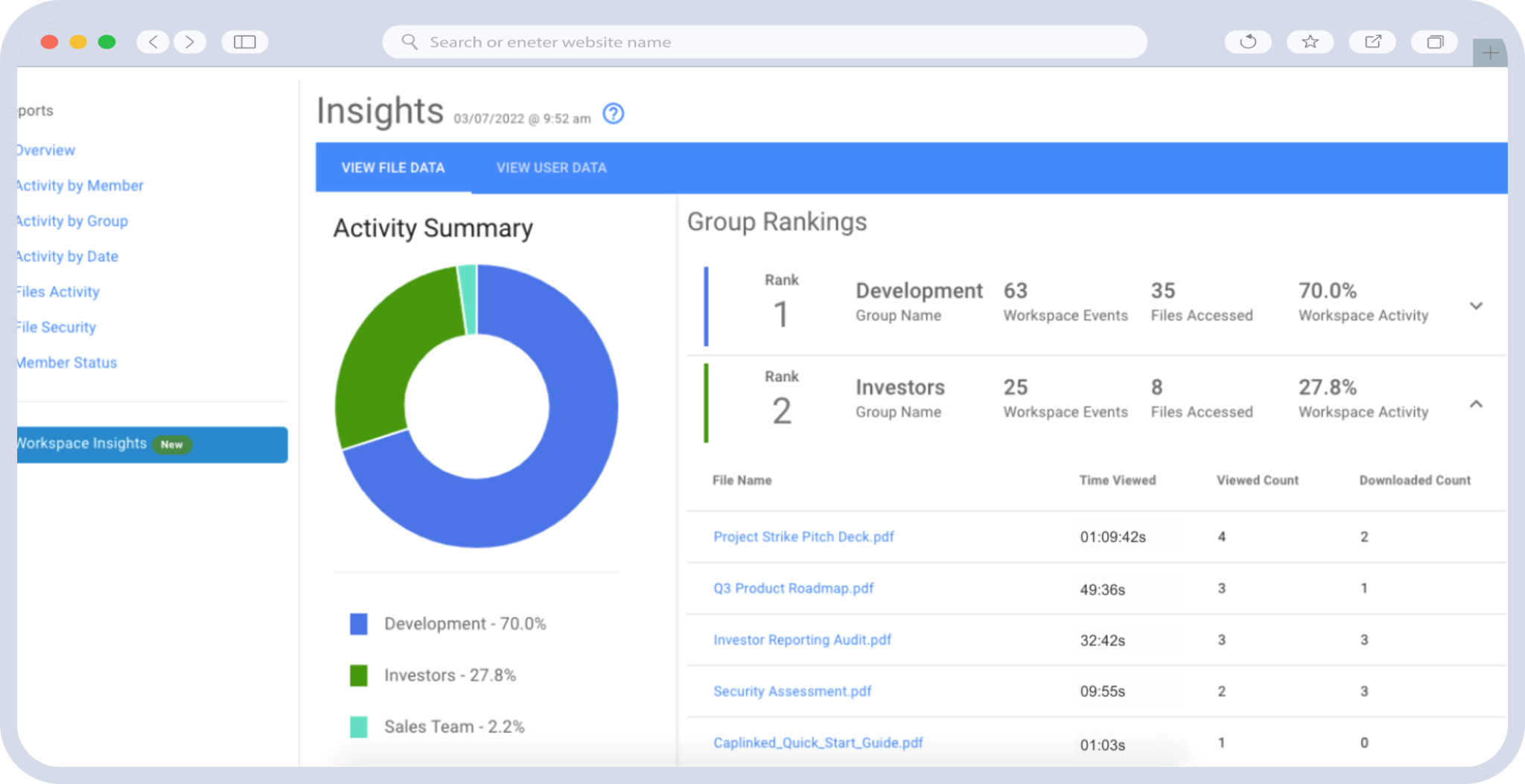
- Negotiation intelligence. Understanding which bidders are reviewing which documents — and how frequently — provides valuable insight into their level of interest and diligence focus areas. Sell-side advisors routinely use this data to inform negotiation strategy.
- Dispute resolution. If a post-closing dispute arises over whether specific information was disclosed, the VDR’s audit trail provides a definitive, timestamped record.
The Financial Industry Regulatory Authority (FINRA) requires broker-dealers involved in M&A transactions to maintain detailed records of communications and information exchanges. A VDR with robust audit capabilities helps firms meet these obligations without manual record-keeping burdens.
Generate Custom Reports for Different Stakeholders
Not every stakeholder needs the same view of activity data. Configure your reporting to serve different audiences: deal team leads may need daily engagement summaries; legal counsel may need document-specific access logs; and board members may need high-level progress dashboards showing diligence completion percentages.
Real-World Workflow: Running a Competitive Auction with 5+ Bidders
To illustrate these virtual data room best practices in action, consider a mid-market competitive auction involving a selling company, its investment bank, its legal counsel, and six prospective bidders — each accompanied by their own legal and financial advisory teams. That’s potentially 20+ distinct groups and 100+ individual users.
Phase 1 — Preliminary Access: All bidders receive access to the same preliminary information set — the confidential information memorandum, high-level financials, and market overview. Groups are configured identically at this stage. Fence-view restrictions are applied to the CIM.
Phase 2 — Full Diligence: After first-round bids are submitted, the seller narrows the field to three bidders. Full diligence folders are opened to these three groups, while eliminated bidders’ access is revoked. Each remaining bidder’s group is segmented so that their Q&A activity is visible only to themselves and the seller’s team.
Phase 3 — Binding Phase: The two finalists receive access to additional sensitive materials: key customer contracts, detailed IP documentation, and management interviews. Clean team restrictions are applied to certain antitrust-sensitive materials. The seller’s legal team monitors audit trails daily for any unusual access patterns.
Phase 4 — Close: Upon signing, all bidder access is revoked except the winning party. The complete audit trail is archived for the deal record. Post-closing integration materials are uploaded to a new section accessible only to the combined entity’s integration team.
Checklist: Virtual Data Room Best Practices for Multi-Party Deals
- Design folder structure around due diligence categories before uploading documents
- Create a comprehensive stakeholder map with access requirements for every group
- Configure group-based permissions aligned to the principle of least privilege
- Implement dynamic watermarking and fence-view restrictions for sensitive materials
- Establish version control protocols with designated document owners
- Deploy structured Q&A workflows with routing and selective disclosure
- Enable comprehensive audit trails and configure stakeholder-specific reports
- Plan for phased access changes as the deal progresses through stages
- Test all permission configurations with a dry run before granting bidder access
- Archive the complete deal record, including audit logs, upon transaction close
Close Deals Faster with CapLinked
Managing a multi-party M&A transaction is complex enough without wrestling with your data room. CapLinked’s virtual data room platform is purpose-built for the demands of complex deal management — with granular group-based permissions, real-time audit trails, structured Q&A workflows, dynamic watermarking, and an intuitive interface that reduces onboarding time for every stakeholder group. Whether you’re running a competitive auction, coordinating a joint venture, or managing a multi-entity carve-out, CapLinked gives you the control and visibility you need to keep every party aligned and every document secure.
Start your free trial at CapLinked.com and experience how the right VDR transforms multi-party deal management from a liability into a competitive advantage.
Frequently Asked Questions
What are virtual data room best practices for managing multi-party M&A deals?
Virtual data room best practices for multi-party M&A deals include designing a logical folder structure before uploading documents, implementing group-based permissions aligned to the principle of least privilege, enabling comprehensive audit trails, and using structured Q&A workflows with selective disclosure. A complete stakeholder map should be created before granting any access, and dynamic watermarking should be applied to sensitive materials to deter unauthorized sharing.
How do you manage permissions in a VDR with multiple buyers and advisors?
The most effective approach is to create named user groups that reflect each stakeholder party and their role in the deal — such as “Bidder A – Legal” or “Bidder B – Financial Advisors.” Permissions are assigned at the group level rather than to individual users, which ensures consistency and makes it easy to add or remove team members. Each group should receive the minimum access necessary, and permissions should be updated at each deal phase as parties are eliminated or advanced.
Why are audit trails important in multi-party deal management?
Audit trails provide a timestamped, tamper-proof record of every action taken in the virtual data room, including document views, downloads, logins, and Q&A activity. In multi-party deals, this data is essential for regulatory compliance, post-closing dispute resolution, and negotiation intelligence. Sell-side advisors frequently analyze audit trail data to gauge bidder engagement levels and inform deal strategy.
What is the best way to handle version control in a virtual data room during M&A due diligence?
Assign a single document owner responsible for uploading updated versions of each critical document, and use clear version numbering with timestamps. The VDR should maintain a full version history so previous drafts remain accessible but are clearly marked as superseded. Restrict download permissions on working documents to prevent offline edits that diverge from the master version, and send targeted notifications to relevant stakeholder groups when key documents are updated.
How does VDR stakeholder collaboration reduce deal timeline in complex transactions?
VDR stakeholder collaboration reduces deal timelines by centralizing all transaction documents, Q&A communications, and activity tracking in a single secure platform. This eliminates the delays caused by email-based document sharing, inconsistent responses to diligence questions, and access request bottlenecks. Structured collaboration tools allow multiple parties to conduct diligence simultaneously without compromising confidentiality between groups, which is especially critical in competitive auction processes.
What security features should a virtual data room have for secure document sharing in M&A?
A virtual data room for secure document sharing in M&A should include 256-bit AES encryption, granular group-based permissions, dynamic watermarking, fence-view restrictions that prevent downloading or printing, two-factor authentication, and IP-based access restrictions. The platform should also provide comprehensive audit trails, automatic session timeouts, and the ability to revoke access instantly when a party exits the transaction. These features collectively protect against unauthorized disclosure of material non-public information.