Key Takeaways
- Six practices prevent most data room privacy failures, and none of them is a feature you buy
- Configure permissions deliberately, and check inheritance before assuming a document is restricted
- Schedule access reviews rather than running them when something prompts you
- Decide folder structure before anyone is invited, because structure is a privacy control
- Train administrators, since administrator error causes more exposure than user error
- Read activity logs as a record of what happened, not as a detection system
- Choose a provider on checkable answers, starting with whether its listed frameworks still exist
Table of Contents
ToggleData privacy best practices for virtual data rooms cover six areas: configuring rights management, running scheduled access reviews, establishing folder structure before inviting anyone, training administrators, monitoring activity within its limits, and selecting a provider on verifiable criteria. Together they address the failures that actually occur, which are configuration errors rather than platform breaches.
Vendor material tends to present privacy as something the platform delivers. Encryption, certifications, firewalls. Those are real and they matter, and they protect against a set of risks that were never the likely ones.
Watch enough of these rooms run and the failures follow a pattern. A folder inherits permissions nobody checked. A bidder who withdrew in March still has access in June. An analyst is added to a group with broader reach than intended. Every one of those is a decision your team made, or forgot to make.
The data privacy best practices below are ordered by how often the underlying mistake causes a problem rather than by how impressive the capability sounds.
Why Data Privacy in Virtual Data Rooms Matters
A data room concentrates sensitive material in one place and then deliberately opens it to outsiders. Trade secrets, intellectual property, employee records, financial data, customer information. Doing that well is routine. Doing it carelessly carries three consequences.
Regulatory exposure comes first. Data protection law applies at state, federal and international levels, including the California Consumer Privacy Act, with penalties running from fines to criminal prosecution in serious cases.
Health information carries its own regime under HIPAA, and personal data belonging to EU residents falls under the General Data Protection Regulation regardless of where your company sits. Regulators expect demonstrable diligence, which means records rather than intentions.
Financial loss follows: investigation, notification, remediation, legal exposure, and in a live transaction the disruption to the deal itself, which often costs more than the breach. Loss of trust follows that, and recovers slowest.
Which Risks Are Yours to Manage
Before the practices, one distinction worth drawing, because vendors rarely draw it and it determines which risks the practices need to cover.
| The provider handles | You handle |
|---|---|
| Encryption of data at rest and in transit | Who gets invited to the room |
| Infrastructure and network security | Which folders each group reaches |
| Platform certification and assessment | What material goes into the room at all |
| Availability and backup | Removing access when a party exits |
The right-hand column is where the practices apply. Each item there is a decision made under time pressure, usually once, often never revisited.
| Did You Know?
Breaches involving a third party reached 48% in Verizon’s 2026 Data Breach Investigations Report, up 60% year over year across more than 22,000 confirmed breaches. Every outside party you invite into a room counts as a third party by that definition. |
|---|
Practice 1: Configure Rights Management Deliberately
Administrators control what each user can view, edit, download and print. The capability is standard across platforms. The discipline around it is not, and this is where most exposure originates.
The three habits that prevent most errors
- Revoke access for anyone who should no longer have it, on the day they should no longer have it, rather than at the next review
- Check whether a document has inherited permissions from its parent folder before assuming it is restricted
- Verify settings after entry rather than trusting the configuration screen did what you intended
Why inheritance causes the most trouble
The failure is silent, which is what makes it dangerous. Move a document into a broader folder and it quietly acquires that folder’s access list. Nobody receives a notification, the document looks unchanged, and the people who can now open it have no idea they were not meant to.
The practical test for any administrator is whether they can explain what happens to a document’s permissions when it moves between folders. If they cannot, they will eventually move one.
Two capabilities reduce the damage when it happens. FileProtect rights management allows access to a downloaded document to be withdrawn after the fact, and expiry dates can be set in advance so access ends whether or not anyone remembers to end it.
Practice 2: Run Access Reviews on a Schedule
Set a recurring internal security audit rather than reviewing access when something prompts you. Prompted reviews happen after the problem, which is the wrong order.
Cadence should match the pace of the process. Monthly is reasonable on a long-running room. Weekly is not excessive during a competitive sale where parties enter and leave, because that is exactly when the access list drifts fastest.
Two questions answer most of it.
- Who currently has access that no longer needs it
- Does any group reach further than it was set up to reach
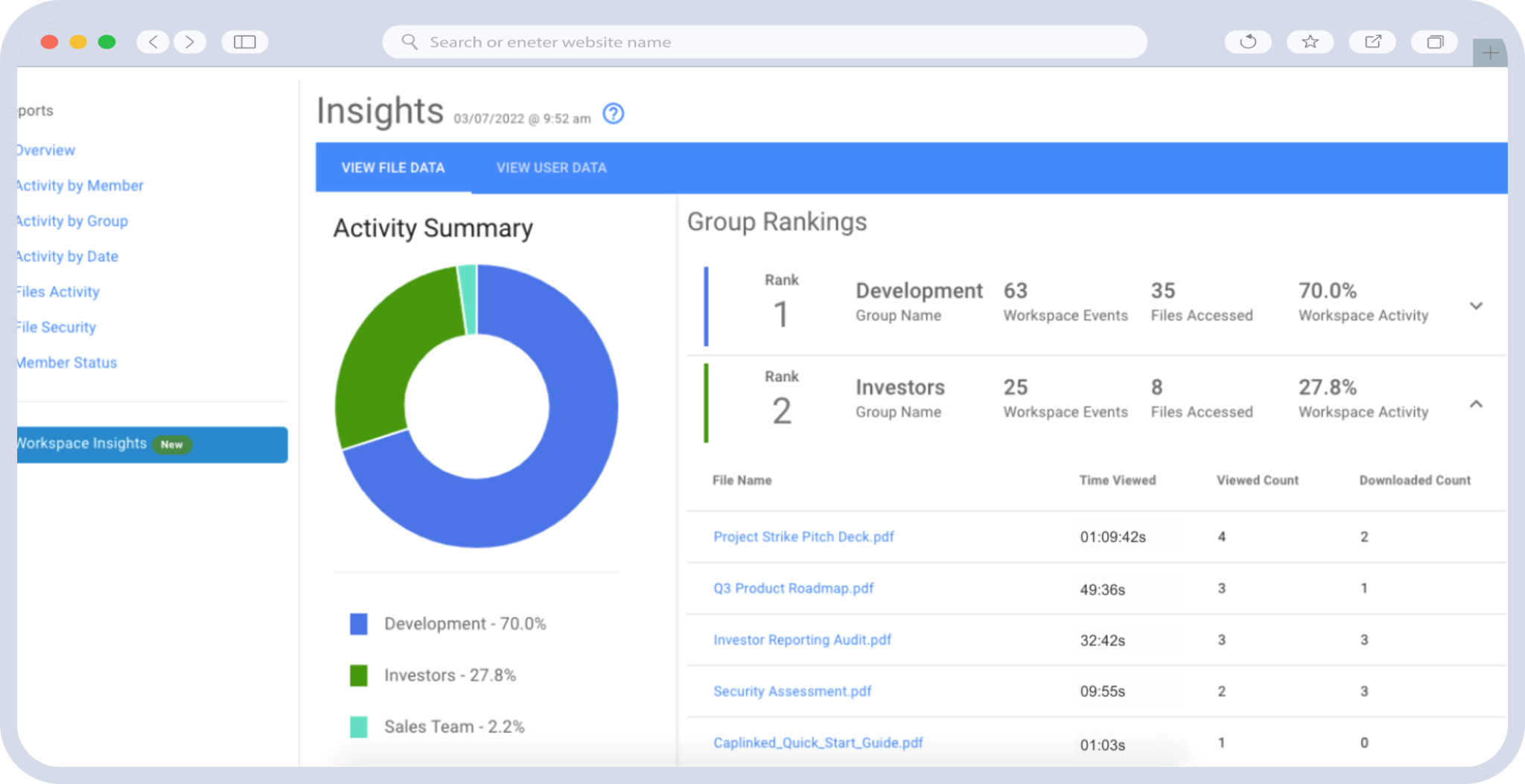
The timestamped audit trail makes both answerable in minutes. Without one, the review means reconstructing intent from memory, which is why unscheduled reviews tend to conclude that everything looks fine.
Practice 3: Structure Folders Before Anyone Is Invited
Folder structure is a privacy control rather than an organizational nicety, and it is decided once, early, usually by whoever is fastest rather than whoever is most careful.
Segregating material by sensitivity at the outset means permissions can be set at folder level and inherited safely. Applying them document by document afterward is slower, easier to get wrong, and impossible to audit at a glance. Our guide to secure document storage covers labeling conventions that keep the structure maintainable as material accumulates.
The alternative is how most rooms actually get built: upload material as it arrives, fix permissions afterward. That works until the room grows past the point where anyone holds the whole structure in their head.
Practice 4: Train the Administrators, Not Only the Users
User training gets the attention. Administrator error causes more exposure, because an administrator mistake affects everyone in a group rather than one person’s handling of one file.
What administrator training should cover
- Setting permissions at group and folder level, and what inherits from where
- Secure sharing mechanics, including secure file sharing and setting links to expire
- Watermarking, and what it does and does not prevent
- Reading the activity log, including its limits
- Descriptive folder and document labeling that survives someone else taking over
Make it part of onboarding and refresh it when the platform changes. A capability nobody knows how to configure is a capability you are not using.
Practice 5: Monitor Activity, and Know What It Cannot Tell You
Activity tracking records who viewed and downloaded which document and when. Reviewing it catches access that should have ended and surfaces patterns worth a question.
Being precise about the limits matters more here than the capability itself, because the common phrasing overstates it. A log is a record, not a detection system. It does not flag unwelcome activity. It does not know which access was authorized. It cannot distinguish a reviewer doing thorough work from one extracting material for another purpose.
What it supports is the human review: someone comparing the log against who should be in the room, and asking about anything that looks unexpected. What it does not support is an inference about intent. Heavy activity in one folder means somebody is working, and nothing more than that.
| The log shows | What it supports | What it does not support |
|---|---|---|
| A user opened a document 12 times | A question about why, if they should not have access | A conclusion about their intentions |
| A party has not logged in for two weeks | A follow-up call | A conclusion that they have disengaged |
| Downloads from an account after a party exited | Immediate revocation and an incident review | Automatic prevention, which is what rights management is for |
Practice 6: Choose a Provider on Checkable Criteria
Review security capabilities before committing, and ask questions that produce verifiable answers rather than adjectives. The provider comparison matters less than the specific answers you get to these.
- Which certifications are current, and when were they last assessed
- Are the compliance frameworks listed still in force
- Can access be revoked after a document has been downloaded
- Does the audit trail export, and how long is it retained
- Are encryption, access control and rights management described as three separate things
The last question is the most reliable filter. A vendor page that treats them interchangeably was not written by anyone who understands what each protects against, which tells you something about the rest of the claims.
What Certifications Actually Cover
Practice 6 turns on reading credentials correctly, and the terms get used as synonyms when they mean different things.
| Term | What it means | What it does not mean |
|---|---|---|
| Certified | An accredited body assessed the provider and issued a certificate | That your configuration meets the same standard |
| Compliant | The provider states it meets a standard, with or without external assessment | That the claim was independently verified |
| Assessed | An auditor examined controls over a defined period, as with SOC 2 | That the scope covered everything |
| Hosted on certified infrastructure | The underlying cloud provider holds the certification | That the platform vendor holds it |
Under GDPR you are typically the controller and the provider is a processor. Their certification supports your diligence obligation without discharging it, and a regulator asking how personal data was handled is asking about your decisions rather than your vendor’s brochure.
Frameworks also expire, which is worth checking before you rely on one. The EU-US Privacy Shield was invalidated in July 2020 and replaced in July 2023 by the EU-US Data Privacy Framework. A compliance list still naming Privacy Shield has not been reviewed in six years.
| Worth Knowing
Shadow AI is now the third most common non-malicious insider data-loss event, up fourfold year over year, with source code the leading data type submitted to unauthorized platforms. A document that cannot be copied out of its viewer cannot be pasted into a chatbot. |
|---|
How CapLinked Supports These Practices
The practices above are yours to run. What a provider contributes is making them possible and making the errors recoverable.
On permissions and inheritance, folder-level controls with files private by default mean the structure in Practice 3 translates directly into access control. On revocation, rights management that reaches downloaded files turns a missed removal into something you can still fix, which is the difference between an error and an incident.
On access reviews, a timestamped audit trail per workspace is what makes a scheduled review a ten-minute task. On controlling access across a document set, permission groups let one structure serve several parties at different depths without duplicating files.
On the provider side of the split: encryption applies 256-bit AES at rest and TLS in transit, over HTTPS, on infrastructure behind multi-layer firewalls with real-time virus scanning, and the platform runs plugin-free. Independent assessment covers SOC 2, alongside ISO 27001, PCI SAQ-D and FISMA, with HIPAA and HITECH requirements met including business associate agreements. Those are separate claims with separate scopes, set out in the security detail.
Conclusion
Five of these six practices cost nothing but attention. Checking inheritance, scheduling a review, structuring folders first, training the people who hold administrator rights, and reading a log for what it actually says. The sixth, choosing a provider, is the one most buyers spend their time on and the one least likely to be where things go wrong.
Before your next room opens, do three things. Write down which folders each group reaches. Put a date in the calendar for the first access review rather than intending to run one. And check that the compliance list you were shown names frameworks that still exist.
The platform will hold up its end. The failures that actually happen are on yours, which is also the good news, because every one of them is preventable by someone paying attention on a Tuesday.
| Setting up a room where several outside parties need different levels of access? |
|---|
Data Privacy in Virtual Data Rooms FAQs
What are the best practices for data privacy in a virtual data room?
Configure rights management deliberately, run scheduled access reviews, structure folders before inviting anyone, train administrators, monitor activity within its limits, and select a provider on verifiable criteria.
What causes most data room privacy failures?
Configuration errors rather than platform breaches. Inherited folder permissions, access left active after a party exits, and users added to groups with broader reach than intended account for the majority.
How often should I review data room access?
Monthly on a long-running process, weekly during a competitive sale where parties enter and leave. The two questions are who no longer needs access and whether any group reaches further than intended.
Are virtual data rooms GDPR compliant?
A provider can support GDPR compliance through encryption, access control and audit records. Compliance itself depends on your lawful basis, what you share, and how you handle data subject rights as controller.
Does a SOC 2 certified data room make my company compliant?
No. SOC 2 assessment covers the provider’s controls over a defined period. Your compliance depends on your configuration, your disclosure decisions, and what your regulator expects of your process.
Can activity logs detect a data breach?
Not by themselves. A log records views and downloads. It does not flag unauthorized activity or distinguish thorough review from extraction. Reviewing it is a human task, not an automated alert.
What should I ask a provider about data room security?
Which certifications are current and when they were assessed, whether the listed frameworks still exist, whether downloaded access can be revoked, and whether the audit trail exports and how long it is retained.