Key Takeaways
- If your goal is to leave Datasite, take Firmex and Ansarada off your list, because Datasite owns both
- Only two independent alternatives publish prices, SecureDocs and CapLinked, so give the others the same deal inputs when you ask for a quote
- Compare control inside the room as closely as price: CapLinked, Intralinks, Ideals, and ShareVault all document a way to cut off access to files after download, while SecureDocs and DealRoom don’t describe one publicly
- Match the pricing model to your deal pattern: Per-page and storage-based pricing get expensive when a room grows, while flat monthly pricing holds steady when the timeline slips
- Move between deals rather than during one, and ask Datasite how you will get your archive out, and what it costs, before you give notice
Table of Contents
ToggleThe best Datasite alternatives for due diligence are CapLinked, Intralinks, Ideals, SecureDocs, ShareVault, and DealRoom. Firmex and Ansarada appear on most lists too, but Datasite owns both, so moving to either keeps you with the same parent company. Choose based on how you want to be billed, how many deals you run, and how much setup support you need.
Datasite is the default data room for a lot of M&A work. Bidders and advisors already know it, and its support team gets consistent praise. Its reviews keep returning to the same frustrations, though, and cost tops the list. Datasite quotes each project on page count and file types, so two similar deals can produce very different bills, which is why cost is the most common complaint in its Capterra reviews.
Start a search for Datasite competitors and the first surprise turns up quickly: several names on every “Datasite alternatives” list belong to Datasite.
In This Guide
|
Why Do Deal Teams Look for a Datasite Alternative?
Three complaints come up again and again in the Datasite reviews on Capterra, and only the first is about money.
The bill is hard to predict. Cost comes up in 25 reviews, more than any other complaint, and Capterra reviewers rate Datasite 4.1 out of 5 for value for money against 4.7 overall. On G2, Datasite’s perceived cost sits at the top of the five-step scale, and reviewers report an average discount of just 8%. Because each project is quoted on page count and file types, a room full of scanned contracts or spreadsheets can cost far more than the team expected when the deal began.
Smaller deals pay for a large-deal tool. Datasite’s quoting process and feature set are built around complex, multi-workstream processes. A lower mid-market sale or a single bolt-on acquisition goes through the same per-project quote, and per-page billing comes up by name in six reviews.
The platform can feel slow and hard to learn. Speed comes up in 17 reviews and the learning curve in 14, with downloads and the Q&A workflow close behind. For an occasional user, such as a bidder’s counsel or a seller’s CFO, a heavy interface turns into support tickets during the busiest weeks of the deal.
If only the first complaint applies to you, a different pricing model may be enough. If all three do, look closely at how each Datasite alternative handles bidders, Q&A, and onboarding, not just what it charges.
Which Datasite Competitors Does Datasite Already Own?
Datasite has spent the past five years buying the companies around it. Two of those purchases were rival data rooms, Firmex in 2021 and Ansarada in 2024, and both still sell under their own names, which is why they keep appearing on lists of Datasite alternatives.
| Company | What it sells | Year acquired |
|---|---|---|
| Firmex | Virtual data room | 2021 |
| Sherpany | Board management software | 2024 |
| Ansarada | Virtual data room | 2024 |
| Grata | Private market intelligence | 2025 |
| Blueflame AI | AI tools for investment firms | 2025 |
| Sourcescrub | Private company data | 2025 |
Table 1. Companies Datasite has acquired. Private equity firm CapVest is Datasite’s controlling shareholder.
Firmex and Ansarada are different products with different pricing models, so a move to either one can still lower your bill. What it won’t change is the company on the other side of the renewal or the roadmap you are buying into. If the reason you are looking is to put a second vendor in front of your procurement team, these two don’t qualify. Our breakdown of what the Datasite acquisition means for Firmex users covers that decision in more detail.
The six vendors below sit outside the Datasite group. Intralinks belongs to SS&C Technologies and SecureDocs to Onit, and none of the others appears among Datasite’s acquisitions.
The Six Datasite Alternatives at a Glance
| Vendor | Parent company | Pricing | Free trial |
|---|---|---|---|
| CapLinked | None | Team $399 a month; Enterprise from $500 a month | 14 days |
| Intralinks | SS&C Technologies | Quote only | Not published |
| Ideals | None (privately held) | Quote only | Yes |
| SecureDocs | Onit | $250 a month on a 12-month plan; $400 a month on a 3-month plan | 14 days |
| ShareVault | Not disclosed | Quote based on storage and duration | Yes |
| DealRoom | Not disclosed | Quote based on deal volume, annual commitment | No |
Table 2. Datasite alternatives compared on fit, ownership, and pricing
We’re CapLinked, so yes, we have put ourselves first. For every other vendor, we have noted where it falls short and what to check before you sign, so you can take the right questions into each demo.
1. CapLinked Gives Deal Teams a Predictable Price and Hands-On Setup Support
Pricing: Team costs $399 a month with 5GB of storage, unlimited guests, and no long-term contract. Enterprise starts at $500 a month or $5,000 a year, with flexible storage, and we match comparable written quotes.
Our Team Plan is priced by the month, so the number does not move because a bidder uploaded a set of scanned contracts or the process ran three months long. Enterprise adds single sign-on, IP whitelisting, API integrations, a dedicated success manager, and 24/7 priority support by email and phone.
FileProtect converts protected files to PDF, stamps up to seven watermarks with the viewer’s name, email, and IP address, blocks printing and sharing, and lets you revoke access to a file after it has been downloaded, including offline copies.
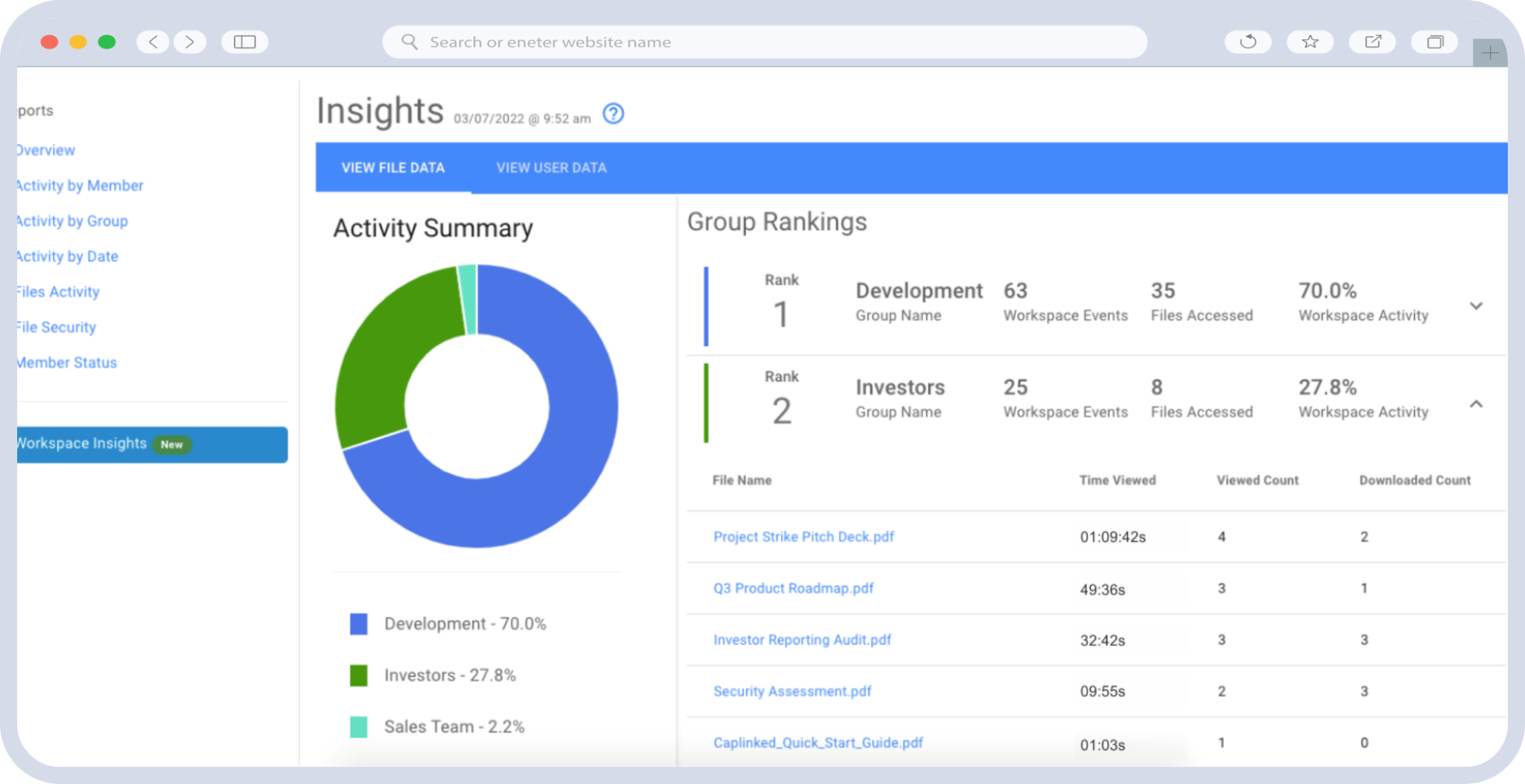
The Activity Tracker records how long each group spends in each document, including protected downloads, so you can see which groups have opened the financial model before you plan follow-up calls.
On Enterprise, AI Document Summary gives reviewers a quick outline of a long document, and the AI Executive Report turns a year of room activity into a PDF you can send to your client.
How it handles a multi-bidder process: Each bidder sits in its own permission group with view, download, or upload rights, and bidders stay anonymous to one another by default. Questions go to the admins you assign, and answers stay private to the asking group unless you publish them to the shared FAQ.
Check before you sign: Your peak storage, since Team includes 5GB and Enterprise storage grows with the room, whether you need single sign-on on day one, and how much setup help you want from our Concierge team.
2. Intralinks Is Best for Enterprise Teams That Want Another Established Incumbent
Best for: Large banks and corporate development teams that want a second enterprise vendor with a long M&A track record.
Pricing: Quote only.
SS&C Technologies bought Intralinks in 2018, and its flagship data room, VDRPro, now sits inside a broader suite that adds deal marketing and post-merger integration tools. Files can open only in a secure viewer with printing disabled, and information rights management means a revoked file stops opening even after someone has downloaded it.
VDRPro itself includes AI redaction and a Document Analyzer, while summaries and suggested answers sit in a separate product, DealCentre AI.
How it handles a multi-bidder process: Permissions are set only at the group level, at No Access, See, or Control. A Q&A coordinator routes questions, categories can delegate automatically to the right expert, and answers published to the FAQ hide the asking group’s identity. Question limits and Clean Team Only folders help when bidders are competitors.
Where it falls short: Intralinks does not publish prices either, so switching may change the vendor without changing the pricing conversation. The traffic also runs both ways: seven of the reviewers on Datasite’s Capterra page say they moved to Datasite from Intralinks.
Check before you sign: What the quote is based on, whether pages, storage, or users, and how charges change if the deal runs long. Our guides to Intralinks pricing and Intralinks alternatives go deeper.
3. Ideals Is Best for Buyers Who Want Plan Limits in Writing Before the Call
Best for: Mid-market and enterprise teams that are comfortable with a quote but want to know what each plan includes first.
Pricing: Quote only, across three plans: Core, Premier, and Enterprise.
Ideals does not publish prices, but it does publish its plan limits, which makes it easier to predict which plan a deal needs. Core covers one project, up to five administrators, and up to 2 GB of storage. Premier covers one project with unlimited administrators and up to 250 GB, and adds an unlimited preparation period for sell-side M&A. Enterprise adds unlimited projects, single sign-on, and multi-project management. The free trial runs with full functionality and can be used for a live transaction. Its feature set includes dynamic watermarks, revocation of downloaded files, AI redaction and translation, and 24/7 chat support.
How it handles a multi-bidder process: Eight permission levels run from No access and Fence view up to Manage. Questions route to experts manually or automatically by category, answers can require a reviewer, and you can cap how many questions each bidder submits. A Staging Hub lets you prepare documents before bidders see them.
Where it falls short: Storage, extra data, and encrypted USB archives are priced in each customer’s Delivery Order, so the plan page does not tell you what growth will cost. G2 places its perceived cost at the top of its five-step scale.
Check before you sign: The extra-data rate, the archive cost, and the renewal terms. Our Ideals pricing guide lists the questions to send with your quote request.
4. SecureDocs Is Best for Smaller Teams That Want a Flat Fee With No User Limits
Best for: Mid-sized companies and smaller deal teams that want a simple room at a fixed monthly price.
Pricing: $400 a month on a 3-month plan billed quarterly, or $250 a month on a 12-month plan billed annually, with unlimited users and documents. Volume packages for multiple deals are quoted.
Onit, a legal and contract management software company, acquired SecureDocs in January 2022, according to LawNext, and it still sells as a standalone data room with a 14-day trial.
How it handles a multi-bidder process: Permissions are set by role and group, users can’t see which group they belong to, and downloading is a permission you grant rather than a default. Q&A answers can be published to an FAQ, and PDF watermarks are set per role. Single sign-on through SAML 2.0 and a SOC 2 Type 2 report cover the usual IT questions.
Where it falls short: SecureDocs’ public materials don’t describe revoking a file after download or any AI tools, so if either matters for your process, ask to see it in a demo.
Check before you sign: Single sign-on, multi-room needs, and how volume pricing works if you run several deals a year.
5. ShareVault Is Best for Buyers Who Prefer Storage-Based Pricing Outside Datasite
Best for: Teams that like paying for the data they actually store and want an independent vendor.
Pricing: Quote based on data usage in gigabytes and project duration, across Express, Pro, and Enterprise plans. Annual plans are paid upfront, short-term plans can be paid on a recurring basis, and extra storage is billed at a flat rate.
ShareVault’s model will feel familiar if you have priced Ansarada: you pay for storage and time rather than pages. There is a free trial, and on document control, ShareVault can block print-to-PDF and screen capture, and its remote shred feature removes access to files that have already been downloaded. Its compliance list includes ISO 27001, ISO 42001, and SOC 1, 2, and 3 reports.
How it handles a multi-bidder process: You can restrict what each group sees of the others, and questions route to subject-matter experts with an approval step before answers go out. Dynamic watermarks mark every view with the user’s details.
Where it falls short: Prices are not published, and storage-based pricing rises when a room grows after launch, so the quote is only as good as your storage estimate.
Check before you sign: The flat rate for extra storage and what happens if the project runs past its term.
6. DealRoom Is Best for Corporate Development Teams Running Pipeline, Diligence, and Integration in One Tool
Best for: Acquisitive companies that want one system for the deal pipeline, diligence requests, and post-close integration.
Pricing: Quote based on deal volume, with an annual commitment. Flat-rate plans include unlimited users and storage, and AI document analysis is an add-on.
DealRoom is a deal management platform with a data room built in. For a corporate development team running several acquisitions a year, tracking the pipeline and the integration plan in the same tool as diligence is useful, and pricing by deal volume suits a steady program.
How it handles a multi-bidder process: Diligence runs through request lists rather than open Q&A, with each request carrying an assignee, a reviewer, a priority, and a due date, and each buyer gets its own worklist. Four access levels run from a watermarked view only to edit.
Where it falls short: There is no free trial, only a scheduled walkthrough, and the annual commitment makes it a poor fit for a single sale process. Its public materials don’t describe revoking a file after download.
Check before you sign: How the vendor defines a deal for pricing, and which features sit in add-ons.
How Do Datasite Alternatives Compare on Security and Control?
Pricing decides whether a room fits the budget, but the controls inside it decide whether the sale process holds up in front of bidders and your IT team.
| Vendor | Control after download | AI inside the data room | Single sign-on | Security reports and certifications |
|---|---|---|---|---|
| CapLinked | Revoke access to downloaded files, including offline copies | Document summaries and an executive activity report (Enterprise) | SAML (Enterprise) | SOC 2 Type II; HIPAA BAAs for enterprise customers |
| Intralinks | Revoked files stop opening after download | AI redaction and Document Analyzer | Yes | ISO 27001, ISO 27701, SOC 1, 2, and 3 |
| Ideals | Revoke access after download | Redaction, translation, semantic search | Yes (Enterprise plan) | ISO 27001, 27017, 27018, 27701; SOC 2 and SOC 3 |
| SecureDocs | Confirm in a demo | Confirm in a demo | SAML 2.0 | SOC 2 Type 2 |
| ShareVault | Remote shred of downloaded files | AI redaction and OCR | SAML 2.0 | ISO 27001, ISO 42001, SOC 1, 2, and 3 |
| DealRoom | Confirm in a demo | Document organization and summaries; can be switched off | SAML 2.0 | SOC 2 Type II |
| Datasite (for reference) | Revoke downloaded documents by role | Redaction, translation, summaries, semantic search | Yes | ISO 27001, 27017, 27018, 27701, 42001; SOC 2 Type II |
Table 3. Datasite alternatives compared on document control, AI, single sign-on, and security reports
Most vendors on this list now match Datasite on the core controls, so control after download and single sign-on rarely justify staying on their own. AI is where the products differ most, and it is moving fast, so ask each vendor to run its AI on one of your own documents during the demo.
Notable Mentions
- Firmex and Ansarada. Datasite owns both. Ansarada publishes its storage-tier prices, which our Ansarada pricing breakdown walks through. Shortlist them for price or product reasons, not to get away from Datasite.
- Document-sharing tools such as DocSend. DocSend, owned by Dropbox, and similar tools work well for sending a pitch deck and tracking who opened it. They are a better fit for an early fundraise than for multi-bidder diligence with Q&A, permission groups, and an audit trail.
How to Choose Between the Datasite Alternatives
Choosing comes down to two checks of equal weight: whether the pricing model fits how your deals run, and whether the room supports the way you run a sale process.
Match the Pricing Model to Your Deal Pattern
A room that costs little at launch can become expensive once diligence adds scanned contracts, Q&A attachments, and an extra two months, and each pricing model handles that growth differently.
| Pricing model | Who uses it | Works well when | Gets expensive when |
|---|---|---|---|
| Per page and file type | Datasite | Page count is small and predictable | Rooms fill with scanned documents, spreadsheets, or video |
| Storage tier and term | Ansarada, ShareVault, Ideals (storage set in the order) | You can estimate peak storage before launch | The room grows after the first bidder arrives |
| Quote per plan or project | Intralinks, Ideals | You have the buying power to negotiate | You need a number before the first sales call |
| Deal volume, annual | DealRoom | You run a steady stream of deals | You run one or two deals a year |
| Flat monthly | SecureDocs, CapLinked | Timelines are uncertain or deals repeat | You need additional storage |
Table 4. Which pricing model suits which deal pattern
For a deeper walkthrough of Datasite’s own model, see our Datasite pricing guide.
Check the Capabilities Your Process Depends On
Run every vendor still on your list through the same checklist:
- Bidder separation: Can each bidder sit in its own group, stay anonymous to the others, and see only its own questions?
- Q&A workflow: Can questions route to the right expert, wait for approval, and be capped per bidder?
- Control after download: Can you cut off a file someone has already downloaded?
- Identity and compliance: Does the vendor support your single sign-on provider, and can it share the reports your IT team will ask for, such as SOC 2 Type II?
- Support during the live process: Is help available around the clock, is there a named contact, and will the vendor help with setup and any integration?
Ask each vendor to show these in a demo using your own folder structure rather than a sample room, since a polished demo room hides how long setup really takes.
How to Switch From Datasite Without Disrupting a Live Deal
The safest time to switch is between deals. A room that is live with bidders should stay where it is until close, because moving it mid-process means re-inviting every participant and asking counterparties to learn a new tool under deadline. Your next mandate or acquisition is the natural starting point, and the work splits into three parts.
- Get your data out of Datasite. Before you give notice, ask how you will receive your archive, in what format, and at what cost. Archive fees are worth asking about specifically: one investment banking reviewer on Capterra calls about $1,500 for a single encrypted USB “wild.” You also want the activity and Q&A records you may need later for audit or legal purposes.
- Rebuild the room. In CapLinked, you can prepare a whole workspace in draft mode, so nothing reaches participants until you publish. A folder structure prepared outside the platform uploads in one drag and keeps its hierarchy, indexing updates automatically, and you can configure one bidder group fully and copy its settings to the rest. Contacts import from a CSV file or Salesforce, and NDAs can require a signature before anyone sees a document.
- Bring your people along. Bankers, counsel, and bidders who know Datasite need a short orientation, and your internal team needs to know where its usual workflows live.
You don’t have to set up the room alone. For Enterprise customers, our Concierge team advises on folder structure, permissions, and branding, trains your users, and helps you connect CapLinked to your other systems through our API. Your team keeps control of the room itself: you upload your own documents and make the structural and access decisions, with the Concierge guiding you through each step.
Concierge is scoped through a statement of work, so you pay only for the support you want. Our article on how concierge support works on high-value deals covers what the team does during a live process.
| Get an Enterprise Quote
Planning your move off Datasite? Get a quote for CapLinked Enterprise with Concierge setup support, and we will match any comparable written quote. |
Final Thoughts
The right Datasite alternative fits both how your deals are billed and how you run a sale process. Work through the decision in this order:
- Write down how your last two Datasite rooms were billed and what drove the final number
- Remove Firmex and Ansarada if the goal is a different vendor, not a different product
- Ask two or three independent vendors to price the same deal: The same peak storage, number of bidders, and timeline, including a case where the deal runs long
- Run the shortlist through the capability checklist in a demo, using your own folder structure
- Plan the move for the gap between deals, and ask Datasite about archive terms first
If predictable pricing and hands-on setup support matter to you, compare our Team and Enterprise plans with your last Datasite invoice, or see how CapLinked handles a real data room before you commit. Our CapLinked vs Datasite comparison covers the feature-by-feature detail.
| Start Your Free Trial
Set up a CapLinked workspace with your own documents for 14 days, with watermarking, FileProtect, and Q&A included. |
Frequently Asked Questions
What are the main Datasite competitors?
The main independent Datasite competitors are Intralinks, Ideals, SecureDocs, ShareVault, DealRoom, and CapLinked. Firmex and Ansarada also compete for the same deals, but Datasite owns both companies.
Does Datasite own Firmex and Ansarada?
Yes. Datasite announced its acquisition of Firmex in July 2021 and completed its acquisition of Ansarada in September 2024. Both still sell under their own brands, and Datasite also owns the Sherpany board management software.
Is Merrill DataSite the same as Datasite?
Yes. Merrill Corporation renamed itself Datasite in March 2020, and its due diligence product became Datasite Diligence.
How is Datasite priced?
Datasite does not publish prices. Each project is quoted on scope and timeline, and reviewers on G2 tie the final bill to page count and file types such as spreadsheets and video, which is why similar deals can produce very different bills.
Which Datasite alternatives publish their prices?
SecureDocs and CapLinked publish their prices. SecureDocs costs $250 a month on a 12-month plan, and CapLinked Team costs $399 a month. Intralinks, Ideals, ShareVault, and DealRoom provide quotes.
Which Datasite alternatives let you revoke downloaded files?
CapLinked, Intralinks, Ideals, and ShareVault all document a way to cut off access to files after download. SecureDocs and DealRoom don’t describe one publicly, so confirm it in a demo if your process needs it.
How long does it take to switch from Datasite?
The timeline depends on the size of your room, how quickly your team can upload its documents, and how much setup support you use. Plan the move between deals, and confirm how and when Datasite will deliver your archive before you start.
What is the difference between Datasite and Intralinks?
Both are enterprise data room incumbents that quote each deal. CapVest controls Datasite, which also sells sourcing, pipeline, and board software, while Intralinks belongs to SS&C Technologies and builds deal marketing and integration tools around its VDRPro data room.