During a typical mid-market M&A transaction, deal teams juggle between seven and twelve different software tools—uploading documents to a virtual data room in one window, updating CRM records in another, tracking due diligence tasks in a spreadsheet, and sending permission requests via email. The result is predictable: duplicated effort, version control failures, security gaps, and deals that take weeks longer than necessary to close. Virtual data room API integration eliminates this fragmentation by connecting your VDR directly to the enterprise systems your teams already use, creating a unified deal workflow that is faster, more secure, and dramatically less error-prone.
This guide is written for IT leaders, deal operations teams, and technology decision-makers who need a practical roadmap for integrating their VDR with CRM platforms, document management systems, ERP software, and other enterprise tools. You’ll learn how API-driven integration works, which workflows to automate first, how to handle security and compliance requirements, and what to look for when evaluating VDR providers for enterprise-grade integration capabilities.
Table of Contents
ToggleWhy Tool Fragmentation Is the Hidden Cost of Every Deal
The average M&A transaction generates thousands of documents, hundreds of user permission changes, and dozens of status updates across multiple stakeholder groups. When these activities happen in disconnected systems, the consequences compound quickly:
- Manual data entry errors: Mistyped email addresses, incorrect permission levels, and duplicate file uploads create security risks and slow down due diligence.
- Version control failures: When documents live in multiple systems without synchronization, teams lose track of which version is authoritative—a problem that can have material legal implications.
- Delayed decision-making: Deal principals waste hours chasing status updates across platforms instead of focusing on valuation and negotiation.
- Audit trail gaps: Regulatory and compliance requirements demand a complete record of who accessed what and when. Fragmented systems make comprehensive audit trails nearly impossible to reconstruct.
According to McKinsey’s research on M&A practices, operational inefficiencies during due diligence are a leading contributor to deal timeline overruns and post-close integration challenges. The solution isn’t adding more tools—it’s connecting the ones you already have through robust API integration.
What Is Virtual Data Room API Integration?
A virtual data room API integration uses application programming interfaces (APIs) to create programmatic connections between your VDR and other enterprise software systems. Instead of manually transferring data between platforms, APIs allow systems to communicate directly—sharing documents, synchronizing user permissions, triggering automated workflows, and maintaining a unified audit trail across your entire technology stack.
In practical terms, this means:
- A new contact added to your CRM automatically receives the correct VDR access permissions based on their role and deal stage.
- Documents uploaded to your document management system are automatically indexed and published to the appropriate VDR folders.
- Activity data from the VDR—such as document views, downloads, and Q&A interactions—flows back into your deal management platform in real time.
- Permission changes triggered by deal stage transitions happen instantly across all connected systems without manual intervention.
Modern VDR APIs typically follow OpenAPI Specification standards, using RESTful architectures with JSON payloads, OAuth 2.0 authentication, and webhook support for event-driven automation. This standardization makes integration with virtually any enterprise system possible, whether you’re connecting to Salesforce, Microsoft Dynamics, SAP, or custom-built internal platforms.
Core Integration Use Cases for Deal Teams
CRM and Deal Flow Integration
Connecting your VDR to your CRM platform is arguably the highest-impact integration for M&A teams. When deal records in Salesforce or HubSpot are linked to VDR workspaces, every document interaction becomes part of the deal’s history. New bidders can be provisioned with VDR access the moment they’re added to the pipeline. When a deal moves from preliminary review to final due diligence, permission sets expand automatically to include additional document categories.
This M&A software integration eliminates the administrative burden that deal teams consistently cite as one of their biggest pain points. Instead of an analyst spending thirty minutes manually creating user accounts and setting folder permissions for each new bidder, the process happens in seconds with zero manual input.
Document Management System Synchronization
Enterprise organizations typically maintain documents across multiple repositories—SharePoint, Box, Google Workspace, or proprietary systems. API integration enables bidirectional synchronization between these repositories and the VDR, ensuring that the data room always contains the most current versions of critical documents.
Secure file sharing integration between document management systems and VDRs also solves the “population problem” that plagues deal preparation. Instead of manually uploading thousands of files to the data room, integration allows deal teams to map existing folder structures to VDR indexes and synchronize content automatically, often reducing data room population time from weeks to hours.
ERP and Financial System Connectivity
For sell-side transactions, financial data from ERP systems like SAP, Oracle, or NetSuite frequently needs to be packaged and shared with potential buyers. API integration can automate the extraction, formatting, and secure delivery of financial reports to the VDR on a scheduled or event-triggered basis. This ensures that buyers always have access to the latest financial information while maintaining strict access controls and audit logging.
Project Management and Task Automation
Due diligence involves hundreds of discrete tasks with dependencies and deadlines. Integrating the VDR with project management tools like Jira, Asana, or Monday.com allows teams to automatically create tasks when new documents are uploaded, trigger notifications when review deadlines approach, and update task status when documents receive required approvals within the VDR.
Technical Implementation: A Step-by-Step Approach
Implementing virtual data room API integration successfully requires a structured approach that balances speed with security. Here’s a practical framework drawn from enterprise integration best practices:
Step 1: Audit Your Current Workflow and Identify Pain Points
Before writing a single line of integration code, map your existing deal workflow end-to-end. Identify every point where data is manually transferred between systems, where users switch contexts, and where errors or delays most frequently occur. These friction points become your integration priorities.
Common high-priority targets include: user provisioning and deprovisioning, document upload and indexing, permission management across deal stages, activity reporting and analytics aggregation, and Q&A workflow routing.
Step 2: Evaluate API Capabilities During VDR Selection
Not all VDR APIs are created equal. When evaluating providers, assess the following criteria:
- API coverage: Does the API expose all critical functions—user management, document operations, permissions, activity logs, and workspace configuration?
- Authentication and security: Does the API support enterprise-grade authentication (OAuth 2.0, API key rotation, IP allowlisting)?
- Webhook support: Can the VDR push real-time event notifications to your systems, or are you limited to polling?
- Rate limits and scalability: Will the API handle the volume of operations your deal flow demands?
- Documentation quality: Is the API well-documented with clear examples, SDKs, and sandbox environments for testing?
The National Institute of Standards and Technology (NIST) guidelines on API security provide a useful framework for evaluating the security architecture of any VDR API you’re considering.
Step 3: Design Your Integration Architecture
For most enterprise implementations, a middleware or integration platform approach is preferable to point-to-point integrations. Platforms like MuleSoft, Workato, or Boomi can orchestrate data flows between your VDR and multiple enterprise systems while providing centralized monitoring, error handling, and logging.
Key architectural decisions include:
- Synchronous vs. asynchronous processing: User provisioning typically requires synchronous API calls for immediate effect, while document synchronization can often be handled asynchronously in batches.
- Error handling and retry logic: API calls can fail due to network issues, rate limits, or transient errors. Your integration must include robust retry mechanisms with exponential backoff.
- Data mapping and transformation: Field names, data formats, and object structures differ between systems. Plan your data transformation layer carefully to avoid integration-breaking changes when individual systems are updated.
Step 4: Implement Security Controls
VDR integrations handle sensitive deal data, making security non-negotiable. Essential controls include:
- Encrypting all API traffic with TLS 1.2 or higher
- Storing API credentials in a secrets manager (e.g., AWS Secrets Manager, HashiCorp Vault), never in application code
- Implementing the principle of least privilege for API service accounts
- Logging all API interactions for audit and compliance purposes
- Conducting regular access reviews and credential rotation
The OWASP API Security Top 10 is an essential reference for teams building VDR integrations, outlining the most critical API security risks and mitigation strategies.
Step 5: Test, Deploy, and Monitor
Integration testing should simulate real deal scenarios—including edge cases like simultaneous user provisioning, large batch document uploads, and rapid permission changes during a deal’s final stages. Deploy integrations to a staging environment first, validate against your test cases, and establish monitoring dashboards that track API health, error rates, and latency before going live.
VDR Workflow Automation: Practical Scenarios That Deliver ROI
The real value of VDR workflow automation becomes clear when you examine specific scenarios that deal teams encounter daily:
Automated Buyer Onboarding
When a new potential buyer is added to your CRM pipeline, the integration automatically creates a VDR user account, assigns them to the correct permission group based on their deal stage, sends a branded invitation email, and logs the provisioning event in both systems. What previously took 15–20 minutes of manual work per buyer now happens in under five seconds.
Stage-Gated Document Access
As a deal progresses through phases—NDA execution, preliminary review, detailed due diligence, final bid—the integration automatically adjusts each buyer’s access permissions to reveal additional document categories. This deal management automation ensures that sensitive information is never exposed prematurely while eliminating the risk of forgetting to update permissions at critical deal milestones.
Real-Time Activity Intelligence
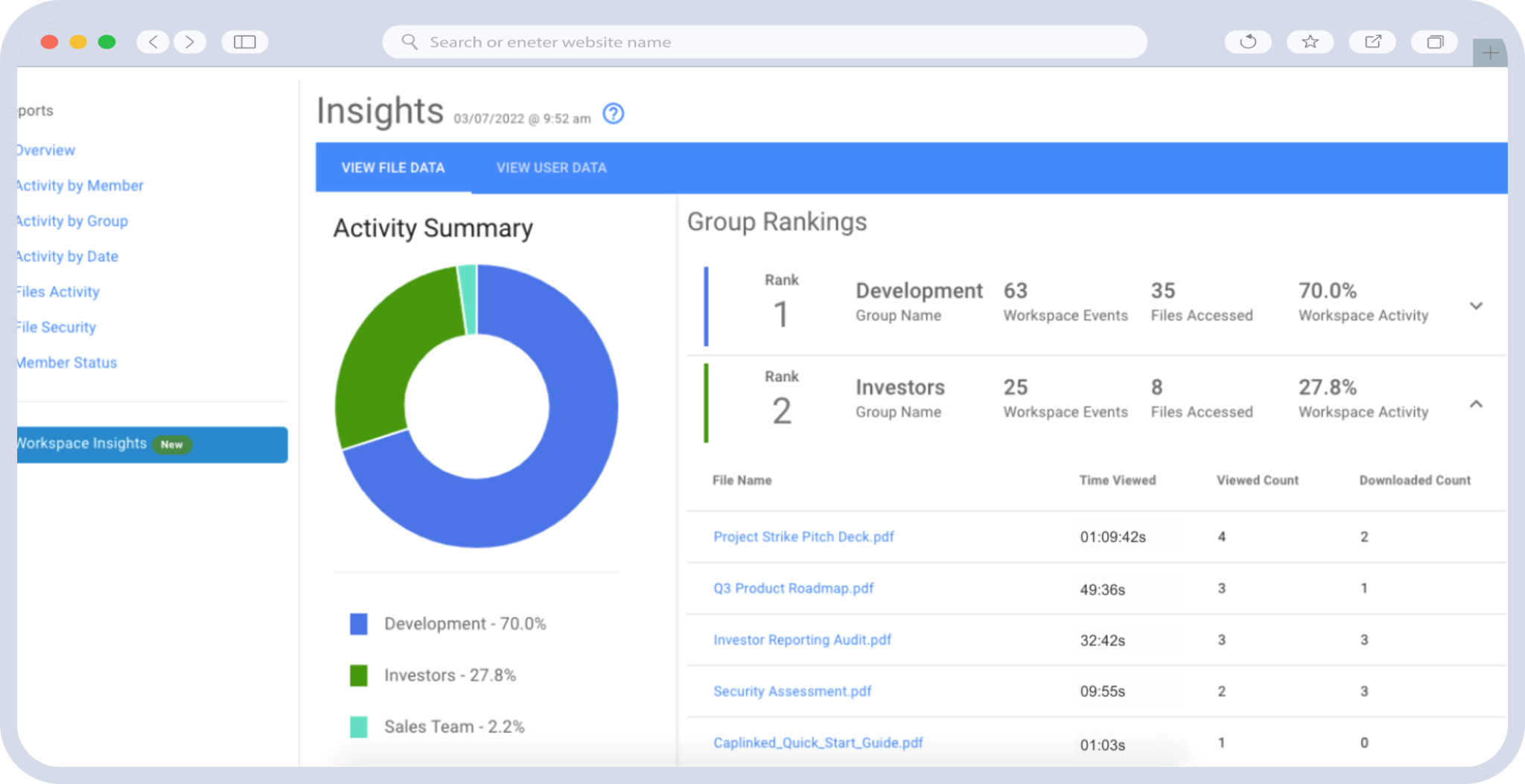
VDR engagement data—which documents a buyer views, how long they spend reviewing financial models, whether they download the management presentation—is some of the most valuable deal intelligence available. API integration pushes this data directly into your CRM or analytics platform, giving deal principals real-time visibility into buyer intent without logging into a separate system.
Research from Harvard Business Review on M&A execution consistently emphasizes that information asymmetry and process inefficiency are among the top destroyers of deal value. Automated, integrated workflows directly address both challenges.
What to Look for in a VDR Partner for Enterprise Integration
When evaluating VDR providers for API integration capabilities, prioritize the following:
- Comprehensive REST API with full documentation: The API should cover user management, document operations, permissions, activity tracking, and workspace administration.
- Webhook and event-driven architecture: Real-time notifications are essential for responsive automation workflows.
- Enterprise security certifications: Look for SOC 2 Type II, ISO 27001, and FedRAMP compliance where applicable.
- Dedicated integration support: Enterprise integration projects benefit enormously from vendor-side technical resources who understand both the API and the deal management context.
- Proven scalability: The platform should handle thousands of concurrent users and millions of documents without performance degradation.
CapLinked’s virtual data room platform is built from the ground up with API-first architecture, providing enterprise clients with the programmatic access they need to build seamless, secure integrations with their existing technology stack. From automated user provisioning and document synchronization to real-time activity intelligence and permission management, CapLinked’s API enables the kind of deal management automation that transforms how organizations execute transactions.
Take the Next Step Toward Seamless Deal Workflows
Tool fragmentation doesn’t have to be the cost of doing business during complex transactions. With the right virtual data room API integration strategy, your deal teams can operate from a unified, automated workflow that reduces errors, accelerates timelines, and delivers better outcomes.
Explore CapLinked’s API capabilities and discover how our enterprise-grade virtual data room platform can integrate with your existing systems to create the seamless deal workflows your team needs. Request a demo today to see how CapLinked can eliminate the manual handoffs slowing down your transactions.
Frequently Asked Questions
What is virtual data room API integration?
Virtual data room API integration is the use of application programming interfaces to programmatically connect a VDR with other enterprise systems such as CRM platforms, document management systems, and ERP software. This enables automated data exchange, synchronized user permissions, and unified deal workflows without manual data transfer between systems.
How does virtual data room API integration improve M&A deal workflows?
Virtual data room API integration improves M&A deal workflows by eliminating manual data entry between disconnected tools, automating buyer provisioning and permission management, synchronizing documents across repositories in real time, and pushing VDR activity data into CRM and analytics platforms. These automations typically reduce deal administration time by 60–80% and significantly decrease the risk of permission errors or version control failures.
What enterprise systems can be integrated with a virtual data room?
A virtual data room with a comprehensive API can be integrated with CRM platforms (Salesforce, Microsoft Dynamics, HubSpot), document management systems (SharePoint, Box, Google Workspace), ERP software (SAP, Oracle, NetSuite), project management tools (Jira, Asana), and custom-built internal deal management platforms. Integration is typically achieved through REST APIs, webhooks, and middleware platforms like MuleSoft or Workato.
What security measures are essential for virtual data room API integration?
Essential security measures for virtual data room API integration include TLS 1.2+ encryption for all API traffic, OAuth 2.0 authentication with regular credential rotation, least-privilege access for API service accounts, secure credential storage in a secrets manager, comprehensive API logging for audit trails, and IP allowlisting. Teams should reference the OWASP API Security Top 10 as a baseline for identifying and mitigating integration security risks.
How long does it take to implement a virtual data room API integration?
Implementation timelines for virtual data room API integration vary based on complexity, but a typical CRM-to-VDR integration can be deployed in two to four weeks using modern middleware platforms. More complex implementations involving multiple enterprise systems, custom data transformations, and advanced automation workflows may take six to twelve weeks. Choosing a VDR provider with well-documented APIs and dedicated integration support significantly accelerates the process.
Why should IT leaders prioritize VDR workflow automation for deal teams?
IT leaders should prioritize VDR workflow automation because tool fragmentation during M&A transactions creates measurable security risks, compliance gaps, and operational inefficiencies that directly impact deal outcomes. Automated integrations enforce consistent permission policies across systems, maintain complete audit trails for regulatory compliance, and free deal professionals to focus on high-value activities instead of administrative data transfer tasks.
Frequently Asked Questions
The appropriate retention period depends on the transaction type, applicable regulations, and contractual obligations. As a general guideline, most M&A practitioners maintain VDR access for a minimum period aligned with the indemnification survival period specified in the purchase agreement—typically 12 to 24 months for general representations and up to six years for fundamental representations such as tax and authority. Financial records should generally be retained for at least seven years per IRS guidelines, and environmental records may require retention for 30 years or more. Organizations should develop a retention schedule that addresses each document category individually, rather than applying a single blanket retention period.
Access for non-winning bidders should be revoked promptly upon their elimination from the process or, at the latest, upon deal closing. Before revoking access, generate a final activity report for each user documenting what they accessed during the process. If NDA provisions require the return or destruction of confidential information, send formal notices to each bidder's legal counsel confirming access revocation and requesting certification of destruction of any downloaded materials. The VDR's audit trail provides documentation of what each party accessed, which may be relevant if confidentiality disputes arise later.
Organizations should conduct a data mapping exercise to identify any personal data contained within the VDR—employee records, customer information, and third-party contact details are common examples. Under GDPR Article 5, personal data must not be retained longer than necessary for the purpose for which it was processed. Establish lawful bases for continued retention (e.g., legitimate interest in defending potential legal claims, compliance with legal obligations), document these bases, and implement technical measures including encryption, access controls, and automated deletion triggers when retention periods expire. For cross-border transactions, ensure that any transfer of archived data complies with applicable data transfer mechanisms such as Standard Contractual Clauses.
A VDR platform suitable for full lifecycle management should offer read-only archive mode (preventing modifications while preserving access), continued encryption and security controls in archive state, preserved audit trails and activity logs, searchability and efficient document retrieval, granular access controls that can be maintained and updated during the retention period, automated notifications for retention period expirations, and the ability to generate secure export packages or destruction certificates. CapLinked's platform provides all of these capabilities, enabling organizations to transition seamlessly from active deal management to long-term secure archiving without migrating data to separate systems.
Post-transaction analysis of VDR analytics yields actionable insights across several dimensions. Review document access patterns to identify which areas received the most scrutiny—these often correspond to buyer concerns that could be proactively addressed in future transactions through improved documentation or operational remediation. Analyze Q&A logs to build a library of frequently asked questions and approved responses that can be deployed in future data rooms, significantly reducing response times. Evaluate the folder structure and document organization for usability, incorporating feedback from buyers and advisors to refine your taxonomy. Finally, use activity timing data to understand how long due diligence actually takes across different document categories, enabling more accurate process timeline planning for future transactions.
Failing to properly close down a VDR after a deal creates several material risks. Continued unauthorized access to sensitive business information exposes the organization to potential data breaches, competitive intelligence leakage, and confidentiality violations. Indefinite retention of personal data without a lawful basis can result in regulatory penalties—GDPR fines can reach up to €20 million or 4% of global annual turnover, whichever is higher. In litigation, an unmanaged data room may become subject to broad discovery requests, with the absence of proper retention and deletion protocols potentially giving rise to adverse inference arguments. Additionally, ongoing VDR subscription costs for unused data rooms represent a direct and unnecessary financial expense. A disciplined wind-down protocol mitigates all of these risks while preserving the data and records that have genuine long-term value.