The modern M&A deal doesn’t wait for you to get back to your desk. A managing director reviewing financials from an airport lounge, an attorney annotating contracts between client meetings, a board member approving documents from a different time zone—this is how due diligence actually happens in 2025. Yet many deal teams still rely on virtual data room platforms that were designed for desktop-first workflows, creating friction, delays, and security vulnerabilities when professionals inevitably need to work from their phones or tablets. The competitive advantage now belongs to teams that can conduct thorough, secure due diligence from anywhere—without compromising the rigor that billion-dollar transactions demand.
In this guide, we explore why mobile access has become a non-negotiable feature in any virtual data room used for M&A due diligence, how to evaluate VDR providers for mobile-ready capabilities, and what best practices ensure your team can review deal documents securely on the go.
Table of Contents
ToggleWhy Mobile Access Is Now Essential for M&A Due Diligence
The velocity of modern dealmaking has fundamentally changed how professionals approach due diligence. According to McKinsey & Company’s research on M&A execution, deal timelines have compressed significantly over the past decade, with buyers and sellers alike facing pressure to move faster without sacrificing thoroughness. When deal teams span multiple continents and time zones, waiting for a conference room and a laptop simply isn’t viable.
Mobile access to a virtual data room addresses several critical pain points in contemporary M&A workflows:
- Compressed deal timelines: Buyers often have limited exclusivity windows. Every hour a key decision-maker can’t access documents is an hour lost from an already tight schedule.
- Geographically distributed teams: Legal counsel in New York, financial advisors in London, and the target company’s management in Singapore all need simultaneous, real-time access to the same materials.
- Competitive bid scenarios: In auction processes, the team that can review, analyze, and respond fastest often wins. Mobile access eliminates downtime between document availability and review.
- Executive decision-making: Senior stakeholders who approve key deal terms are frequently traveling. Mobile-optimized VDR access ensures they can review critical documents and provide timely approvals.
Purpose-built VDR solutions go far beyond basic cloud storage for exactly these reasons. As M&A practitioners consistently note, a VDR tailored to deal needs dramatically increases efficiency and keeps all parties on track, on time, and on the same page—whether they’re at their desks or reviewing documents on a mobile device between flights.
What to Look for in a Mobile-Ready Virtual Data Room
Not all mobile experiences are created equal. A VDR that merely renders on a smaller screen isn’t the same as one engineered for productive mobile workflows. Here’s what separates a truly mobile-capable virtual data room from one that simply shrinks its desktop interface.
Responsive Design vs. Native Mobile Applications
The best VDR providers offer both a fully responsive web interface and dedicated native applications for iOS and Android. Native apps provide smoother performance, better offline capabilities, and tighter integration with device-level security features like biometric authentication. When evaluating providers, test the actual mobile experience—not just the marketing claims—by conducting a trial review of sample documents on your phone and tablet.
Document Viewing and Annotation on Small Screens
Due diligence requires more than just reading documents. Professionals need to zoom into financial tables, search across hundreds of files, bookmark critical sections, and add annotations. A mobile-optimized VDR should support pinch-to-zoom on spreadsheets and PDFs, full-text search across the entire data room, and the ability to add notes or flags that sync instantly with the desktop experience. If your team uses Q&A workflows—a staple of sell-side due diligence—those should be fully functional on mobile as well.
Granular Permission Controls That Travel With the User
Security doesn’t get relaxed just because someone is on a mobile device. In fact, mobile access demands even more rigorous controls. Look for a virtual data room that enforces the same permission settings, watermarking, and view-only restrictions on mobile as it does on desktop. Advanced providers also offer features like remote device wipe, session timeouts, and the ability to restrict access based on IP address or geographic location—critical considerations when deal documents are being accessed from airports, hotels, and co-working spaces around the world.
Offline Access With Security Safeguards
Connectivity isn’t always guaranteed, especially during international travel. Some VDR platforms allow authorized users to download encrypted documents for offline review, with those files automatically expiring or becoming inaccessible once permissions are revoked. This capability can be invaluable for long flights or locations with unreliable internet, but it must be implemented with robust digital rights management (DRM) to prevent unauthorized distribution.
Security Considerations for Mobile Due Diligence
The U.S. Securities and Exchange Commission (SEC) has repeatedly emphasized cybersecurity as a priority area, particularly for firms handling material nonpublic information during M&A transactions. Mobile access introduces unique security vectors that deal teams must address proactively.
Encryption Standards for Data in Transit and at Rest
Any virtual data room used for M&A due diligence should employ AES-256 encryption for data at rest and TLS 1.2 or higher for data in transit. On mobile devices, this means that documents being viewed, cached, or temporarily stored must remain encrypted at all times. Ask your VDR provider whether their mobile application stores any unencrypted data locally, even temporarily—this is a common vulnerability in less sophisticated platforms.
Multi-Factor Authentication and Biometric Security
Mobile devices offer a unique security advantage: biometric authentication. A VDR that supports fingerprint or facial recognition as a second factor adds a layer of protection that’s both more secure and more convenient than traditional SMS-based two-factor authentication. According to the National Institute of Standards and Technology (NIST) Digital Identity Guidelines, biometric authentication combined with device-bound credentials represents one of the strongest authentication frameworks available.
Audit Trails That Capture Mobile Activity
Comprehensive audit trails are a cornerstone of any due diligence process. Your VDR should log all mobile activity with the same granularity as desktop activity—including which documents were viewed, for how long, by whom, from what device, and from what location. This data serves dual purposes: it provides the sell-side with visibility into buyer engagement and interest, and it creates a defensible record of information access for regulatory and compliance purposes.
Preventing Data Leakage on Mobile Devices
Secure file sharing on mobile requires preventing screenshots, screen recordings, copy-paste actions, and unauthorized forwarding. Enterprise-grade VDR applications implement these controls at the application level, ensuring that even if a device is compromised, the documents within the data room remain protected. Dynamic watermarking—which overlays the viewer’s name, email, and timestamp on every document—serves as both a deterrent and a forensic tool.
Best Practices for Remote Due Diligence on Mobile Devices
Having the right technology is only part of the equation. Deal teams need protocols and workflows that maximize the effectiveness of mobile due diligence while maintaining security discipline.
Establish a Mobile Access Policy Before the Deal Begins
Before opening the virtual data room to deal participants, establish clear guidelines for mobile access. Define which roles are authorized for mobile access, whether offline viewing is permitted, and what device security requirements must be met (e.g., no jailbroken devices, mandatory OS updates, screen lock requirements). Distribute these guidelines alongside your standard NDA and data room usage agreements.
Organize the Data Room for Mobile-Friendly Navigation
A well-structured data room is important on any device, but it’s critical on mobile. Use clear, hierarchical folder structures with consistent naming conventions. The American Bar Association’s Business Law Section has published guidance on due diligence best practices that emphasizes logical document organization as a key factor in efficient review processes. When your data room is organized intuitively, mobile users can navigate to the documents they need without excessive scrolling or searching.
Leverage Notifications and Alerts for Time-Sensitive Updates
One of the advantages of mobile access is the ability to push real-time notifications to deal team members. Configure your VDR to alert users when new documents are uploaded, when Q&A responses are posted, or when deadlines are approaching. This keeps mobile-first users engaged with the deal process and ensures nothing falls through the cracks, even when team members are away from their primary workstations.
Use Activity Analytics to Monitor Engagement
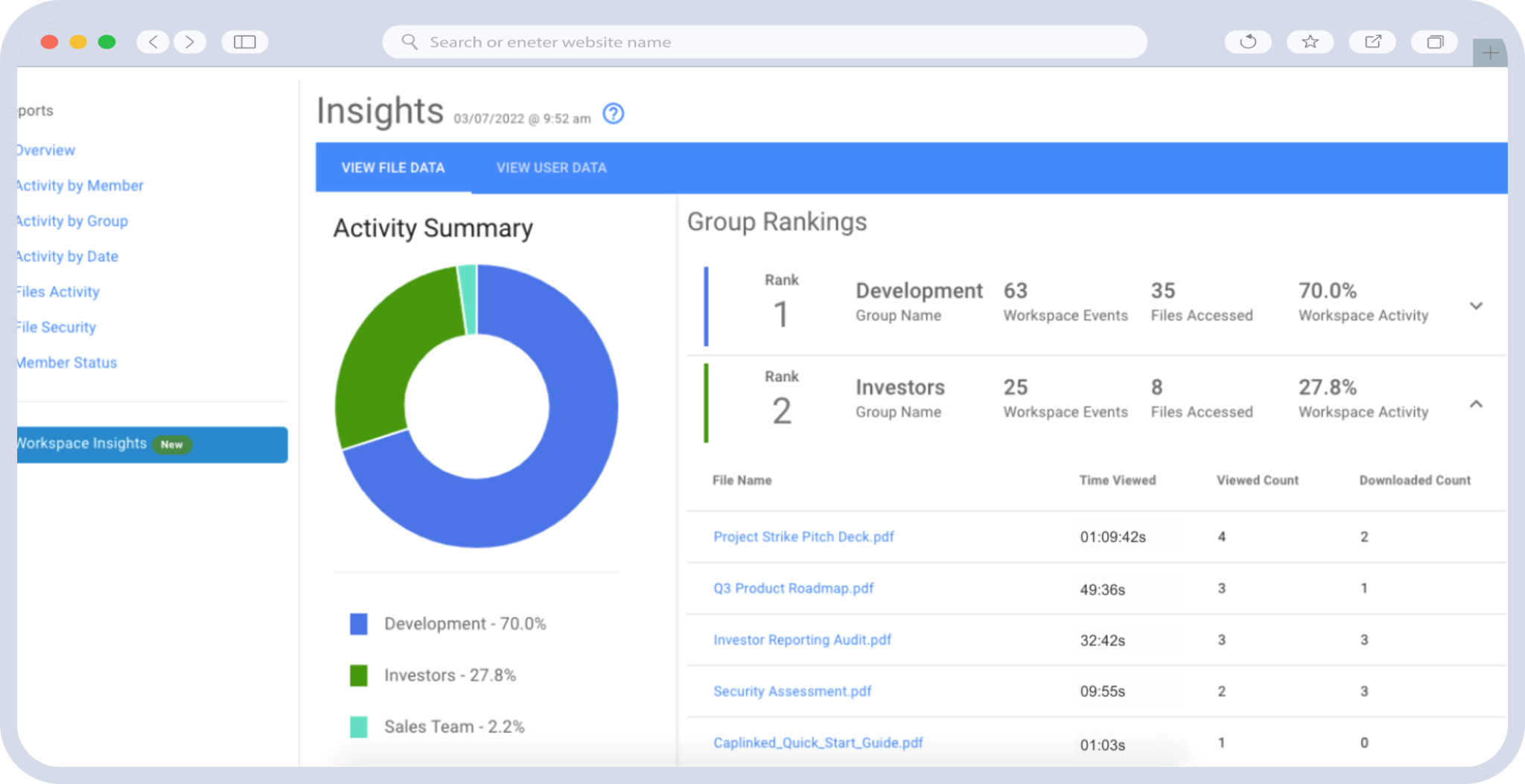
For sell-side teams, the analytics dashboard in a VDR provides invaluable insight into buyer behavior. Mobile access data—such as which documents a bidder reviewed at 11 PM on a Sunday night—can signal genuine interest and urgency. Use these analytics to inform your negotiation strategy and to prioritize follow-up with the most engaged parties.
Conduct Regular Security Reviews Throughout the Deal Lifecycle
Due diligence processes can span weeks or months. During that time, team members may change devices, travel to new jurisdictions with different data privacy regulations, or inadvertently create security gaps. Conduct periodic reviews of VDR access logs, revoke permissions for departed team members promptly, and verify that all mobile devices in use still meet your security requirements. As the Federal Trade Commission’s Start with Security guide recommends, ongoing vigilance is just as important as initial security setup.
How CapLinked Enables Secure Mobile Due Diligence
CapLinked’s virtual data room platform was built with the understanding that modern deal professionals don’t work exclusively from corner offices. Our platform delivers a seamless, secure experience across desktop and mobile devices, ensuring your team can conduct thorough due diligence wherever the deal takes them.
With CapLinked, you get:
- Enterprise-grade security on every device: AES-256 encryption, granular permission controls, dynamic watermarking, and comprehensive audit trails that function identically across desktop and mobile.
- Intuitive document management: Drag-and-drop uploads, intelligent indexing, and full-text search make it easy to organize and find documents—whether you’re at your desk or on your phone.
- Secure file sharing with complete control: Share documents with confidence knowing that access can be revoked instantly, downloads can be restricted, and every interaction is logged.
- Purpose-built for M&A: From Q&A workflows to deal analytics, CapLinked provides the specialized tools that M&A professionals need to manage due diligence efficiently at every stage.
- Flexible access for global teams: Support for multiple languages, time zones, and connectivity scenarios ensures that every stakeholder can participate fully in the review process.
Whether you’re managing a sell-side auction, conducting buy-side diligence, or facilitating a cross-border transaction, CapLinked gives your team the tools to move faster without compromising on security or compliance.
Ready to see how CapLinked can streamline your next deal? Start your free trial today or contact our team to schedule a personalized demo and discover why leading deal professionals trust CapLinked for secure, mobile-ready due diligence.
Frequently Asked Questions
A virtual data room (VDR) is a secure online platform used to store, share, and manage confidential documents during business transactions such as mergers and acquisitions. In M&A due diligence, a virtual data room allows buyers, sellers, legal teams, and advisors to review financial statements, contracts, intellectual property records, and other sensitive materials in a controlled environment with granular access permissions and full audit trails.
Yes, leading virtual data room providers like CapLinked offer secure mobile access through responsive web interfaces and native mobile applications. These platforms enforce the same encryption, permission controls, watermarking, and audit logging on mobile devices as they do on desktop, ensuring that due diligence documents remain protected regardless of where or how they are accessed.
Mobile VDR access accelerates due diligence by allowing deal team members to review documents, respond to Q&A items, and provide approvals from any location at any time. This eliminates downtime caused by travel, time zone differences, and scheduling conflicts, enabling faster deal execution and more responsive communication between all parties involved in the transaction.
A virtual data room used for mobile due diligence should include AES-256 encryption, multi-factor authentication with biometric support, dynamic watermarking, screenshot and screen recording prevention, remote device wipe capabilities, and comprehensive audit trails that capture all mobile activity. These features ensure that sensitive M&A documents remain protected even when accessed from mobile devices in public or unsecured environments.
While regular cloud storage platforms like Google Drive or Dropbox provide basic file sharing, a virtual data room is purpose-built for high-stakes transactions and offers advanced security controls, granular user permissions, detailed audit trails, Q&A management tools, and compliance features that standard cloud storage lacks. For due diligence and secure file sharing in M&A, a VDR provides the level of control, tracking, and security that deal participants and regulators expect.
To set up a virtual data room for remote due diligence, start by selecting a VDR provider with strong mobile capabilities and security credentials. Then organize your documents into a logical folder structure following standard due diligence categories, configure user permissions and access levels for each deal participant, enable security features like watermarking and two-factor authentication, and establish clear protocols for mobile access, Q&A workflows, and document updates throughout the deal lifecycle.