Table of Contents
ToggleExecutive Summary
In mergers and acquisitions, the difference between a deal that closes on schedule and one that stalls for weeks often comes down to a single, underappreciated factor: how well the virtual data room (VDR) is organized. With the average mid-market M&A transaction generating between 5,000 and 50,000 documents across dozens of categories, the organizational structure of a data room is not a clerical afterthought—it is a strategic imperative that directly impacts deal velocity, buyer confidence, and transaction outcomes.
According to Deloitte’s M&A Trends report, global M&A activity reached approximately $3.5 trillion in deal value in 2025, with due diligence timelines averaging 60 to 90 days for mid-market transactions. Research from McKinsey & Company has found that poorly organized data rooms can extend due diligence by 20–30%, increasing advisory costs and introducing deal fatigue that jeopardizes closing. Conversely, well-structured VDRs with clear indexing, logical folder hierarchies, and consistent naming conventions can reduce document review time by up to 40%.
This guide provides a comprehensive, tactical framework for organizing a virtual data room for complex M&A transactions. It covers folder taxonomy templates, naming conventions, tagging strategies, index construction methodologies, permission architecture, and quality assurance workflows—everything deal teams need to build a VDR that helps due diligence reviewers find information ten times faster while minimizing the risk of missed documents.
Why Virtual Data Room Document Organization Is Mission-Critical in M&A
The Cost of Disorganized Data Rooms
A disorganized data room creates cascading problems throughout the deal lifecycle. When buyers, their legal counsel, and financial advisors cannot locate critical documents quickly, several damaging consequences follow:
- Extended due diligence timelines: Every hour spent searching for misfiled or missing documents is an hour not spent on substantive analysis. When multiplied across a team of 10–20 reviewers working at billing rates of $500–$1,200 per hour, the financial impact is staggering.
- Erosion of buyer confidence: A poorly organized VDR signals operational immaturity. Buyers interpret document chaos as a reflection of how the target company manages its business, which can lead to reduced valuations or increased escrow holdbacks.
- Increased risk of missed documents: When files are scattered across illogical folders or named inconsistently, critical documents—such as change-of-control provisions, pending litigation disclosures, or environmental liabilities—can be overlooked, creating post-closing liability exposure.
- Deal fatigue and collapse: According to Bain & Company’s research on M&A success factors, protracted due diligence is among the top reasons deals fail to close, with roughly 10–15% of announced transactions ultimately falling apart.
The Strategic Value of a Well-Organized VDR
A meticulously organized virtual data room serves as more than a document repository—it functions as a communication tool that tells a coherent story about the target company. When structured correctly, a VDR accomplishes the following:
- Accelerates time-to-close: Buyers and their advisors can navigate directly to the information they need, reducing review cycles and enabling faster decision-making.
- Demonstrates professionalism: A clean, well-indexed data room builds trust and positions the seller as a sophisticated, well-managed organization.
- Supports competitive dynamics: In auction processes with multiple bidders, the seller that provides the best-organized data room gains a competitive advantage, as bidders can complete their analysis faster and submit more confident bids.
- Reduces post-closing disputes: Comprehensive, well-organized disclosure reduces the likelihood of indemnification claims based on alleged non-disclosure.
Building the Foundation: The Data Room Index
What Is a Data Room Index and Why It Matters
A data room index is a structured, comprehensive listing of all documents and files stored within a virtual data room. It serves as a navigational roadmap, outlining the hierarchy and organization of information, and typically includes details such as file names, dates, descriptions, and locations within the folder structure. Think of it as the table of contents for your entire deal—a single reference document that allows any reviewer to understand the scope and structure of the data room at a glance.
As noted by PandaDoc’s data room index guide, a data room index acts as a map of the VDR, illustrating all the documents, main folders, and subfolders for quick reference. Without an index, reviewers must navigate blindly through potentially hundreds of folders, dramatically increasing the time required to locate specific documents.
When to Create the Index
Best practice—emphasized by experienced M&A advisors and documented in industry guidance on LinkedIn—is to create the data room index before any documents are uploaded. Building the index first establishes the structural framework and ensures that every document has a designated home before the upload process begins.
The recommended approach is to draft the initial index in a spreadsheet application such as Microsoft Excel or Google Sheets. This allows deal team members to collaboratively review and refine the structure before committing it to the VDR platform. A sample index should include the following columns:
- Section number: A hierarchical numbering system (e.g., 1.0, 1.1, 1.1.1)
- Folder/subfolder name: The descriptive name of each folder level
- Document description: A brief explanation of what documents belong in each location
- Responsible party: The team member accountable for populating each section
- Status: Tracking whether documents have been collected, reviewed, and uploaded
- Document count: The expected and actual number of documents per section
Key Principles for Index Construction
An effective data room index adheres to several foundational principles:
- Comprehensiveness: The index should anticipate every category of document a buyer might request, even if certain categories are ultimately marked as “not applicable.”
- Logical hierarchy: Organize from general to specific, with broad categories at the top level and increasingly granular subcategories beneath.
- Standardization: Follow industry-standard structures recognized by M&A professionals, which reduces the learning curve for buyers’ advisors who review data rooms regularly.
- Flexibility: Build in the ability to add new sections or subcategories as the diligence process evolves and additional document requests emerge.
The Optimal VDR Folder Hierarchy for M&A Transactions
Top-Level Folder Taxonomy Template
Based on established M&A due diligence frameworks used by leading investment banks, law firms, and advisory practices—and consistent with guidelines from the American Bar Association’s Business Law Section—the following top-level folder structure represents best practice for a comprehensive sell-side data room:
- 1.0 Corporate Organization & Governance
- 2.0 Financial Information
- 3.0 Tax
- 4.0 Material Contracts & Agreements
- 5.0 Intellectual Property
- 6.0 Real Property & Assets
- 7.0 Employment & Human Resources
- 8.0 Litigation & Legal Proceedings
- 9.0 Regulatory & Compliance
- 10.0 Insurance
- 11.0 Environmental
- 12.0 Technology & IT Infrastructure
- 13.0 Customer & Sales Information
- 14.0 Supplier & Vendor Relationships
- 15.0 Marketing & Branding
- 16.0 Management Presentations & Strategic Plans
- 17.0 Transaction Documents
Detailed Subfolder Structures
Each top-level folder should contain a logically organized set of subfolders. Below are expanded structures for the most document-intensive categories:
1.0 Corporate Organization & Governance
- 1.1 Certificate/Articles of Incorporation & Amendments
- 1.2 Bylaws & Operating Agreements
- 1.3 Board Minutes & Resolutions
- 1.4 Shareholder/Member Agreements
- 1.5 Capitalization Table
- 1.6 Organizational Charts
- 1.7 Subsidiary & Affiliate Documentation
- 1.8 Good Standing Certificates
- 1.9 Foreign Qualifications
2.0 Financial Information
- 2.1 Audited Financial Statements (3–5 years)
- 2.2 Unaudited Monthly/Quarterly Financials (current year and prior year)
- 2.3 Budget & Forecast Models
- 2.4 Revenue Breakdown by Product/Service/Geography
- 2.5 Accounts Receivable & Accounts Payable Aging
- 2.6 Debt Schedules & Credit Agreements
- 2.7 Capital Expenditure Reports
- 2.8 Working Capital Analysis
- 2.9 Audit Letters & Management Letters
- 2.10 Quality of Earnings Materials
4.0 Material Contracts & Agreements
- 4.1 Customer Contracts (Top 20 by Revenue)
- 4.2 Supplier/Vendor Agreements
- 4.3 Distribution & Channel Partner Agreements
- 4.4 Joint Venture & Partnership Agreements
- 4.5 Lease Agreements
- 4.6 Licensing Agreements
- 4.7 Non-Compete & Non-Solicitation Agreements
- 4.8 Government Contracts
- 4.9 Related-Party Transactions
7.0 Employment & Human Resources
- 7.1 Employee Census & Headcount Data
- 7.2 Executive Employment Agreements
- 7.3 Compensation Plans & Bonus Structures
- 7.4 Equity Incentive Plans & Option Grants
- 7.5 Employee Benefits (Health, Retirement, etc.)
- 7.6 Employee Handbook & Policies
- 7.7 Union/Collective Bargaining Agreements
- 7.8 OSHA & Workplace Safety Records
- 7.9 Independent Contractor Agreements
- 7.10 Key Employee Retention Plans
Adapting the Taxonomy to Industry and Deal Type
The folder taxonomy above represents a general-purpose framework. However, effective virtual data room document organization requires customization based on the specific industry and transaction type:
- Healthcare transactions: Add dedicated sections for HIPAA compliance documentation, provider agreements, payer contracts, clinical trial data, and FDA regulatory filings. The U.S. Department of Health and Human Services HIPAA portal provides guidance on protected health information handling requirements that affect data room security configurations.
- Technology/SaaS transactions: Expand the IP section to include source code escrow agreements, open-source software audits, SaaS subscription metrics (ARR, MRR, churn, NRR), SOC 2 compliance reports, and data privacy impact assessments.
- Real estate transactions: Create detailed sections for title documents, surveys, zoning approvals, environmental site assessments (Phase I and Phase II), tenant lease abstracts, and property condition reports.
- Cross-border transactions: Add sections for foreign regulatory approvals, transfer pricing documentation, sanctions compliance, and multilingual document translations.
Document Naming Conventions: The Foundation of Findability
Why Naming Conventions Matter
Even with a perfectly structured folder hierarchy, inconsistent file naming can undermine the entire organizational system. When thousands of documents are named “Contract_Final_v2.pdf” or “Scan001.pdf,” reviewers waste valuable time opening files to determine their contents. A rigorous naming convention transforms file names into informative metadata, enabling reviewers to identify document contents without opening a single file.
A Recommended Naming Convention Framework
The optimal naming convention for M&A data rooms follows a structured format that balances descriptiveness with brevity:
[Section Number] – [Document Type] – [Entity/Counterparty] – [Date YYYY-MM-DD] – [Version]
Examples:
- 4.1 – MSA – Acme Corp – 2024-03-15 – Executed
- 2.1 – Audited Financials – FY2025 – Annual Report
- 7.2 – Employment Agreement – J Smith CEO – 2023-06-01 – Amendment 2
- 1.3 – Board Minutes – 2025-Q4 – December Meeting
- 8.1 – Litigation – Smith v Company – Complaint – 2024-11-20
Naming Convention Rules and Standards
To ensure consistency across all contributors, establish and enforce the following rules:
- Date format: Always use YYYY-MM-DD (ISO 8601 standard) to ensure proper chronological sorting.
- No special characters: Avoid characters such as #, @, %, &, and * that can cause technical issues in some VDR platforms and operating systems.
- Abbreviation glossary: Create a standardized list of abbreviations (e.g., MSA for Master Service Agreement, NDA for Non-Disclosure Agreement, SOW for Statement of Work) and distribute it to all team members contributing documents.
- Version control: Use clear version indicators such as “Draft,” “Final,” “Executed,” or “Amendment 1” rather than ambiguous markers like “v2” or “new.”
- Maximum file name length: Keep file names under 100 characters to prevent truncation in VDR interfaces and download paths. According to Microsoft’s documentation on file path limitations, Windows systems have a maximum path length of 260 characters, which includes the full directory path.
Advanced Tagging and Metadata Strategies
Leveraging Metadata for Enhanced Discoverability
Modern virtual data room platforms—including CapLinked’s VDR solution—offer tagging and metadata capabilities that go far beyond basic folder organization. Tags function as a secondary organizational layer, enabling documents to be discovered through multiple access paths without duplicating files.
A strategic tagging taxonomy for M&A transactions should include the following dimensions:
- Document type tags: Contract, Amendment, Certificate, Filing, Report, Correspondence, Policy, Plan
- Status tags: Executed, Draft, Expired, Under Review, Pending Renewal, Terminated
- Jurisdiction tags: US-Federal, US-State-[State], EU, UK, APAC, applicable country codes
- Priority tags: Critical, Material, Standard, Supplemental
- Due diligence workstream tags: Legal, Financial, Tax, HR, IP, Environmental, IT, Commercial
- Request list reference tags: Linking documents to specific items on the buyer’s due diligence request list (e.g., “DDR-047” for Due Diligence Request item 47)
Cross-Referencing and Document Linking
One of the most common frustrations in large data rooms is that a single document may be relevant to multiple diligence categories. For example, an employment agreement with a change-of-control provision is relevant to both the HR section and the Transaction Documents section. Rather than duplicating the file—which creates version control risks—best practice is to:
- Place the original document in its primary folder based on document type
- Create cross-reference notes in the index indicating that the document is also relevant to other sections
- Use the VDR’s linking or shortcut functionality (available in platforms like CapLinked) to create references in secondary locations
- Tag the document with multiple workstream tags so it surfaces in filtered searches across categories
Permission Architecture and Access Control
Designing Role-Based Access
Virtual data room document organization extends beyond folder structure and naming—it must also encompass who can see what and when. Effective permission architecture is critical for several reasons: protecting sensitive competitive information during auction processes, staging document disclosure in phases, and maintaining compliance with confidentiality obligations.
A well-designed permission model typically includes the following roles:
- Full Administrator: Sell-side deal team leads with complete upload, edit, delete, and permission management rights
- Content Contributor: Internal team members who can upload and edit documents within designated sections but cannot modify permissions or structure
- Reviewer (Full Access): Buy-side teams granted broad access to most or all data room sections
- Reviewer (Restricted): Parties with access limited to specific sections—common in competitive auction processes where different bidders receive different information at different stages
- View Only / No Download: Parties who can view documents within the VDR interface but cannot download, print, or screenshot them—essential for the most sensitive materials
Staged Disclosure Strategies
In competitive auction processes, sellers typically release information in phases aligned with the deal timeline. A phased disclosure strategy tied to VDR folder organization might look like this:
- Phase 1 (Initial Access): Confidential Information Memorandum (CIM), management presentations, high-level financials, company overview—typically accessible after NDA execution
- Phase 2 (Preliminary Due Diligence): Detailed financial statements, material contracts, organizational documents, IP overview—accessible to bidders who submit initial indications of interest
- Phase 3 (Confirmatory Due Diligence): Full contract library, employment agreements, litigation files, regulatory correspondence, environmental reports—accessible to shortlisted bidders
- Phase 4 (Final/Exclusive): The most sensitive materials such as customer-level data, pricing strategies, pending patent applications, and draft transaction documents—accessible only to the selected buyer in an exclusivity period
Each phase should be reflected in the VDR’s folder structure and permission settings, allowing administrators to open access to entire sections with a single permission change rather than file-by-file adjustments.
Quality Assurance and Completeness Verification
The Document Completeness Checklist
Missing documents are one of the most significant risks in M&A data rooms. A missing material contract, an absent tax return, or an overlooked regulatory filing can delay closing, trigger purchase price adjustments, or create post-closing indemnification claims. To mitigate this risk, implement a systematic completeness verification process:
- Map the buyer’s due diligence request list (DDRL) to the data room index: Every item on the DDRL should have a corresponding folder or document location in the VDR. Items that are not applicable should be explicitly marked “N/A” with a brief explanation, rather than left blank.
- Conduct section-by-section audits: Assign a responsible team member to each top-level section and require them to certify completeness before granting buyer access.
- Use the VDR’s analytics to identify empty folders: Empty folders signal missing documents and create a negative impression. If a category is genuinely not applicable, either remove the folder or add a placeholder note explaining the absence.
- Cross-check against corporate records: Verify the data room against the company’s corporate minute book, contract management system, and accounting records to ensure nothing has been overlooked.
Document Quality Standards
Beyond completeness, the quality of individual documents matters significantly. Establish the following standards for all uploaded documents:
- File format: PDFs are preferred for final/executed documents. Native format files (Excel, Word, PowerPoint) should be provided for financial models, budgets, and working documents that buyers will want to analyze in detail. According to ISO 32000-2:2020, PDF/A format is the international standard for long-term document preservation.
- Scan quality: All scanned documents should be at a minimum resolution of 300 DPI, properly oriented, and OCR-processed (Optical Character Recognition) to enable full-text search.
- Completeness of individual documents: Verify that all pages are present, exhibits and schedules are attached, and signature pages are included for executed agreements.
- Redaction standards: When sensitive information (such as Social Security numbers, personal banking details, or irrelevant personal data) must be redacted, use proper digital redaction tools—not black highlighting—to ensure the underlying data is permanently removed. The National Institute of Standards and Technology (NIST) Privacy Framework provides guidelines for handling personally identifiable information.
Leveraging VDR Technology for Organizational Excellence
Essential Platform Features for Document Organization
The choice of VDR platform significantly impacts the quality of document organization. When evaluating virtual data room providers for complex M&A transactions, prioritize the following organizational features:
- Drag-and-drop bulk upload with automatic indexing: The ability to upload entire folder structures while maintaining hierarchy eliminates the need to recreate organizational structures manually within the platform.
- Full-text search with OCR: Advanced search capabilities that index the content of uploaded documents—not just file names—enable reviewers to locate specific clauses, terms, or data points across thousands of documents in seconds.
- Automatic index generation: The VDR should be able to generate and export a complete, formatted data room index at any time, reflecting the current state of all folders and documents.
- Version control: Built-in version management ensures that when documents are updated, the history is preserved, and reviewers are notified of changes.
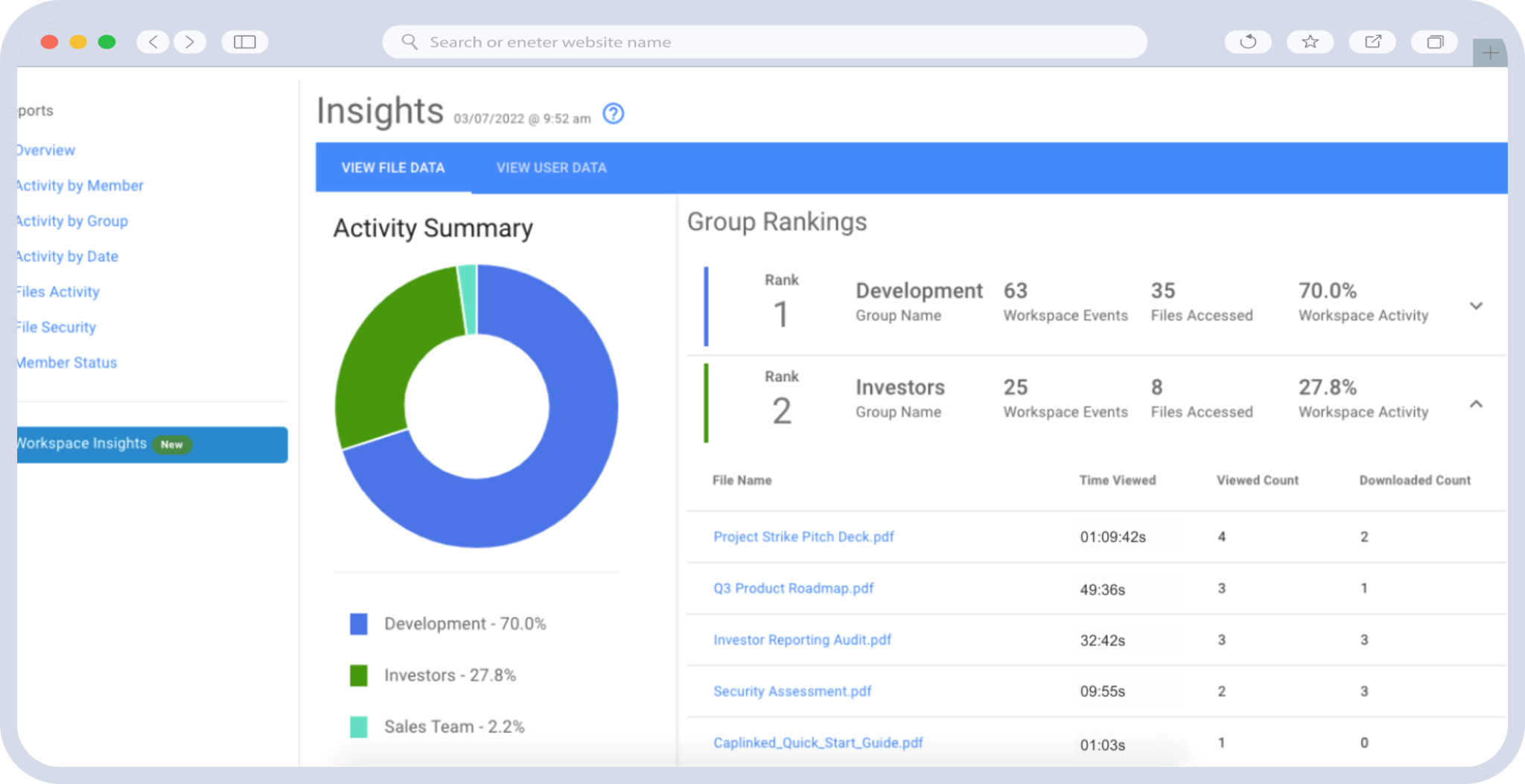
- Activity tracking and analytics: Detailed logs of who accessed which documents, when, and for how long provide valuable intelligence about buyer interest levels and diligence focus areas.
- Q&A module integration: A built-in question-and-answer workflow tied to specific documents and data room sections streamlines communication between buyers and sellers without requiring separate email threads or spreadsheet trackers.
- Dynamic watermarking: Automatic watermarks on viewed or downloaded documents that include the viewer’s identity and timestamp provide both security and accountability.
Automation and AI-Powered Organization
In 2026, leading VDR platforms are incorporating artificial intelligence to enhance document organization. AI-powered features that are transforming data room management include:
- Automatic document classification: AI algorithms that analyze document content and suggest appropriate folder placement, reducing manual sorting effort by up to 60%.
- Smart tagging: Machine learning models that automatically apply metadata tags based on document content analysis, identifying document types, dates, parties, and key terms.
- Gap analysis: AI systems that compare the data room contents against standard due diligence checklists and flag missing document categories before buyers identify the gaps.
- Duplicate detection: Algorithms that identify duplicate or near-duplicate documents across the data room, preventing redundancy and confusion.
According to Gartner’s research on enterprise content management, organizations that implement AI-assisted document management reduce time spent on document classification and retrieval by 30–50% compared to manual processes.
Common Pitfalls and How to Avoid Them
The Top 10 Data Room Organization Mistakes
Based on insights from experienced M&A practitioners and deal advisors, these are the most common organizational errors—and their solutions:
- 1. Building the index after uploading documents: Always create the index first. Retrofitting organization onto an already-populated data room is exponentially more difficult and error-prone.
- 2. Over-nesting folders: Limit folder depth to four levels maximum (e.g., 4.0 > 4.1 > 4.1.1 > 4.1.1.1). Deeper hierarchies become difficult to navigate and increase click-through fatigue.
- 3. Inconsistent naming across contributors: Distribute a written naming convention guide with examples to every person who will upload documents, and designate a single “data room administrator” to enforce standards.
- 4. Uploading unsearchable scans: Always OCR-process scanned documents. A 500-page contract that cannot be text-searched is nearly useless to a diligence reviewer working under time pressure.
- 5. Leaving empty folders without explanation: Empty folders raise red flags. Add a placeholder document or note explaining why the section is empty (e.g., “No pending or threatened litigation as of the date hereof”).
- 6. Failing to update the index as documents are added: The index must be a living document updated in real time as new materials are uploaded. Most modern VDR platforms can auto-generate updated indices.
- 7. Duplicating documents across multiple folders: Use cross-references or links instead of copies. Duplicate files create version control nightmares and inflate document counts unnecessarily.
- 8. Ignoring file size optimization: Excessively large files (e.g., 200 MB+ uncompressed scans) slow down the review experience. Compress files appropriately without sacrificing readability.
- 9. Neglecting to test the VDR from the buyer’s perspective: Before granting buyer access, have a team member log in with buyer-level permissions and attempt to locate key documents. This user-acceptance test often reveals navigation issues invisible from the administrator view.
- 10. Not assigning a dedicated data room manager: Complex M&A transactions require a single point of accountability for data room organization. This person should manage uploads, enforce standards, respond to structural questions, and monitor completeness throughout the deal lifecycle.
Measuring Data Room Effectiveness
Key Performance Indicators for VDR Organization
To assess the effectiveness of your virtual data room document organization, track the following metrics:
- Average time to first document access: How quickly after gaining access do buyers begin reviewing documents? Faster engagement indicates intuitive navigation.
- Document search-to-find ratio: The number of search queries versus successful document retrievals. A high ratio suggests organizational or naming issues.
- Q&A volume related to document location: A high percentage of Q&A submissions asking “where is [document]?” indicates structural problems in the data room.
- Completeness rate at initial buyer access: The percentage of anticipated documents uploaded before granting buyer access. Best-in-class data rooms achieve 90%+ completeness at initial opening.
- Average review session duration: Longer sessions generally indicate engaged reviewers; very short sessions may indicate frustration with navigation or document quality.
- Time from data room opening to first-round bids: This macro metric captures the overall efficiency impact of data room organization on deal velocity.
Conclusion: Key Takeaways
Effective virtual data room document organization is not merely an administrative task—it is a strategic capability that directly influences deal outcomes, valuation, and execution speed. As M&A transactions continue to grow in complexity and document volume, the ability to structure, organize, and index a VDR with precision has become a core competency for deal teams.
The key takeaways from this guide are:
- Build your index before uploading a single document. The data room index is the architectural blueprint that determines the quality of the entire structure. Create it early, collaboratively, and in alignment with industry-standard due diligence frameworks.
- Adopt a standardized folder taxonomy with 15–20 top-level categories, three to four levels of subfolder depth, and customization for your specific industry and deal type.
- Enforce rigorous naming conventions using a structured format that includes section numbers, document types, counterparty names, dates, and version indicators. Distribute a written naming guide to every contributor.
- Layer metadata and tagging on top of folder structure to create multiple discovery pathways and support cross-referencing without file duplication.
- Design permission architecture intentionally, aligning access levels with deal phases and stakeholder roles to protect sensitive information while facilitating efficient review.
- Implement quality assurance workflows that verify completeness, document quality, and organizational consistency before granting buyer access.
- Leverage modern VDR technology, including AI-powered classification, full-text search, automatic indexing, and activity analytics, to maintain organizational excellence at scale.
- Designate a dedicated data room manager who owns the organizational integrity of the VDR throughout the entire deal lifecycle.
In a competitive M&A environment, a well-organized data room is a differentiator. It signals operational maturity, accelerates due diligence, builds buyer confidence, and ultimately contributes to better deal outcomes. By implementing the framework outlined in this guide, deal teams can transform their virtual data rooms from document dumping grounds into strategic assets that drive transaction success.
Frequently Asked Questions
What is virtual data room document organization and why is it important for M&A?
Virtual data room document organization refers to the systematic process of structuring, indexing, naming, tagging, and managing documents within a VDR to support efficient due diligence and deal execution. It is important because well-organized data rooms can reduce due diligence review time by up to 40%, minimize the risk of missed documents that could create post-closing liability, and build buyer confidence that supports stronger valuations. Poor organization, by contrast, can extend deal timelines by 20–30%, increase advisory costs, and contribute to deal fatigue that jeopardizes closing.
What is a data room index and how should it be structured?
A data room index is a comprehensive, structured listing of all documents and folders within a virtual data room—functioning as a table of contents and navigational map. It should be structured hierarchically with numbered sections (e.g., 1.0, 1.1, 1.1.1) covering standard M&A due diligence categories such as Corporate Organization, Financial Information, Tax, Material Contracts, Intellectual Property, Employment, Litigation, Regulatory Compliance, and Insurance. Best practice is to create the index in Excel before uploading any documents, and it should include columns for section numbers, folder names, document descriptions, responsible parties, and completion status.
What are the best practices for naming files in a virtual data room?
The recommended naming convention for VDR files follows a structured format: [Section Number] – [Document Type] – [Entity/Counterparty] – [Date YYYY-MM-DD] – [Version]. For example: “4.1 – MSA – Acme Corp – 2024-03-15 – Executed.” Key rules include using the ISO 8601 date format (YYYY-MM-DD) for chronological sorting, avoiding special characters, maintaining a standardized abbreviation glossary, using descriptive version indicators (Draft, Final, Executed, Amendment), and keeping file names under 100 characters to prevent system truncation issues.
How many folders and levels of depth should an M&A data room have?
A well-organized M&A data room typically has 15 to 20 top-level folders covering the major due diligence categories, with subfolder depth limited to a maximum of four levels. Going deeper than four levels creates navigation fatigue and makes documents harder to find. A mid-market transaction data room commonly contains 200 to 500 individual subfolders and between 5,000 and 50,000 documents. The exact structure should be customized based on industry (healthcare, technology, manufacturing, etc.) and transaction type (asset purchase, stock purchase, merger, carve-out).
How do document tagging and metadata improve data room navigation?
Tagging and metadata create a secondary organizational layer that enables documents to be discovered through multiple access paths without file duplication. Effective tagging dimensions include document type (contract, certificate, filing), status (executed, draft, expired), jurisdiction, priority level, due diligence workstream (legal, financial, tax, HR), and request list reference numbers. Tags allow reviewers to filter across the entire data room by any combination of attributes—for example, finding all executed contracts in a specific jurisdiction—making information retrieval significantly faster than folder-only navigation.
What VDR features are most important for document organization in complex deals?
The most critical VDR features for document organization include: drag-and-drop bulk upload with automatic index preservation, full-text OCR search across all documents, automatic index generation and export, built-in version control with change notifications, granular role-based access permissions with staged disclosure capabilities, integrated Q&A modules tied to specific documents and sections, activity tracking analytics, and dynamic watermarking. In 2026, AI-powered features such as automatic document classification, smart tagging, gap analysis, and duplicate detection have become increasingly important for managing large-scale transactions efficiently.