Key Takeaways
- A virtual data room is a secure online space for sharing confidential documents with outside parties under controlled access
- Also called a deal room, digital data room, online data room or electronic data room
- It works in five steps: upload, organize, permission, invite, and track
- The defining features are granular permissions, encryption, rights management, audit trails and structured Q&A
- The difference from cloud storage is control after sharing, not encryption strength
- Common uses are M&A, fundraising, IPOs, audits, board reporting and licensing
- Setup is mostly a planning task: the folder and permission structure matters more than the software
Table of Contents
ToggleA virtual data room, or VDR, is a secure online space where a business stores confidential documents and shares them with outside parties under controlled access. It combines cloud storage with permission controls, rights management and a full activity record, which is what distinguishes it from a general file-sharing tool. VDRs are also called deal rooms, digital data rooms, online data rooms or electronic data rooms.
The purpose behind all of that is narrow and specific. A VDR exists for the moment a company has to hand confidential documents to people outside it, buyers, investors, auditors, regulators, and keep control of what happens to those documents afterward.
This guide covers how a VDR works, its defining features, how it differs from cloud storage, what businesses use it for, and how one gets set up. For the deeper business-decision angle, our guide to whether your business needs a data room picks up where this page ends.
How Does a Virtual Data Room Work?
A VDR follows the same sequence on every deal, and the order matters as much as the steps.
- Upload the documents. Bulk upload with indexing, so files are searchable by content rather than only by name
- Organize into folders. Structured by who will review rather than by document type, so permissions can be set at folder level and inherited cleanly
- Set permissions. Per person and per group, controlling view, download, edit and print separately. Files are private by default
- Invite users. Each into their permission group, seeing only what that group is entitled to. Parties who should not know about each other do not
- Collaborate and track. Run Q&A inside the room, and watch the activity log record every view and download
The administrator sits above all of this, granting and revoking access, routing questions, and reading the record. In a live process that role is closer to project management than IT, which is why the software mattering less than the structure is the recurring lesson.
Key Features of a Virtual Data Room
The features that define the category group into three jobs: controlling access, protecting documents, and recording what happened.
Access control
The ability to grant and revoke access instantly, and to set permissions at the level of the individual, the group, and the file. If an interested party pulls out of a deal, their access ends. If a reviewer should see one folder and not another, permissions enforce it rather than trusting them to look away.
Document protection
Encryption protects the file in transit and at rest. On top of that, digital rights management controls what happens after a file is downloaded, preventing printing, copying or forwarding beyond your control, and dynamic watermarking stamps each page with the viewer’s identity. Encryption stops interception; rights management stops the authorized viewer becoming an unauthorized distributor.
Activity tracking
Built-in tracking records every action taken in the room, including views, downloads and permission changes, and generates full reports. This facilitates the audit process for investors, shareholders, board members and consultants, and it is the record you produce if a disclosure question arises after a deal closes.
Structured Q&A
A dedicated question workflow routes queries to the right person, keeps each thread attached to the document it concerns, and records the answer. On a process with several reviewing parties, this replaces the email chains where the same question gets answered three different ways.
A note on AI
AI features are increasingly marketed in this category, mostly for organizing large document sets, flagging redaction candidates and comparing contract versions. These handle pattern work over documents rather than judgment. Optical character recognition, which makes scanned documents searchable by content, is the mature version of this and is genuinely useful on paper-heavy deals. Treat any AI claim by asking where the processing happens, since a tool that sends documents to an outside service changes the security picture.
Virtual Data Room vs Cloud Storage
Cloud storage and a VDR look similar and solve different problems. Cloud storage is built for a team collaborating on shared files. A VDR is built for a company disclosing documents to outsiders who may not proceed.
| Cloud storage | Virtual data room | |
|---|---|---|
| Permissions | Usually per folder | Per person and per document, split by action |
| Control after download | None | Access to downloaded files can be revoked |
| Activity record | Link-level at best | Document-level log of every view and download |
| Watermarking | Not standard | Dynamic, identifying each viewer |
| Q&A | A separate tool | Threaded against the document |
| Built for | Internal collaboration | Controlled external disclosure |
The distinction is control after sharing rather than encryption, which is broadly comparable on both. Our advantages of a virtual data room guide covers where that difference pays off.
Common Use Cases for a VDR
VDRs are used wherever confidential documents have to reach outside reviewers under control. The most common cases:
| Use case | What the room does |
|---|---|
| Mergers and acquisitions | Lets multiple bidders review the same documents without seeing each other, with access withdrawn if a deal falls through |
| Due diligence | Gives every reviewing party controlled access to a large document set, with a record of who saw what |
| Fundraising | Stages disclosure so early investor conversations see less than committed ones |
| Initial public offerings | Keeps documentation organized under scrutiny from investors and regulators at once |
| Board and investor reporting | Distributes sensitive material with a permanent record of what was circulated |
| Legal and licensing | Controls disclosure of contracts and IP, where the document itself is the asset |
The list runs across industries and company sizes. A ten-person startup running a fundraise has the same disclosure problem as a bank running an acquisition, and detailed guidance exists for several of these in our use cases for virtual data rooms.
How to Set Up a Virtual Data Room
Setup is mostly planning. The software steps take minutes; the decisions behind them are what determine whether the room works.
- Gather the documents. Know what you have before you build anything, and identify the gaps that will become questions later
- Design the folder structure. By reviewer discipline, not document type, so permissions inherit cleanly
- Define permission groups. One per party or role, decided before anyone is invited
- Invite users into their groups. Each seeing only their own folders
- Open Q&A and monitor. Route questions, watch the log, and revoke access the day a party leaves
The one that goes wrong is the second step. Building the structure after inviting people means assigning permissions document by document, which stops being auditable quickly. Our guide to data privacy best practices covers the discipline in depth.
What to Look for in a VDR Provider
Once you know you need one, five criteria separate providers.
- Security you can verify. Ask which certifications are current, when they were assessed, and check the ones held in public registries
- Permission depth. Group, folder and file level, with view, download and print controlled separately
- Control after download. Whether access to a downloaded file can be revoked when a party exits
- Setup that does not need IT. Rooms often open on short notice. A platform requiring an internal project is the wrong fit
- A pricing model that fits. Flat pricing over per-page or per-storage, which penalizes thorough disclosure
How Data Rooms Evolved
The term makes more sense with the history behind it, which is worth knowing now that the definition is settled.
The original data rooms were physical. People involved in a transaction met at a physical location and entered a supervised room to view documents relating to the deal. It worked, at a cost: printed documents were expensive, everyone had to travel to the room, and the audit trail was maintained by hand.
Digital sharing removed the travel and the printing. It also removed the control. Once a document was attached to an email or copied to a drive, it lived on someone else’s hard drive beyond the sender’s reach, and reconstructing who received what meant searching thousands of emails.
Cloud storage made sharing cheap and universal, but data on the cloud remained subject to breaches, misconfiguration and human error, with document control still lost at the point of upload. The virtual data room is the response: cloud convenience with the control the earlier methods each gave up.
Why Businesses Choose CapLinked
Against the features and criteria above.
Permissions are set per folder with files private by default, covering view, edit, upload and download separately. FileProtect rights management restricts printing, copying and forwarding and revokes access to documents already downloaded, and custom watermarks carry the viewer’s identity across each page. EZ Q&A routes questions to the right subject expert, threads them against the document, and builds an FAQ from recurring answers.
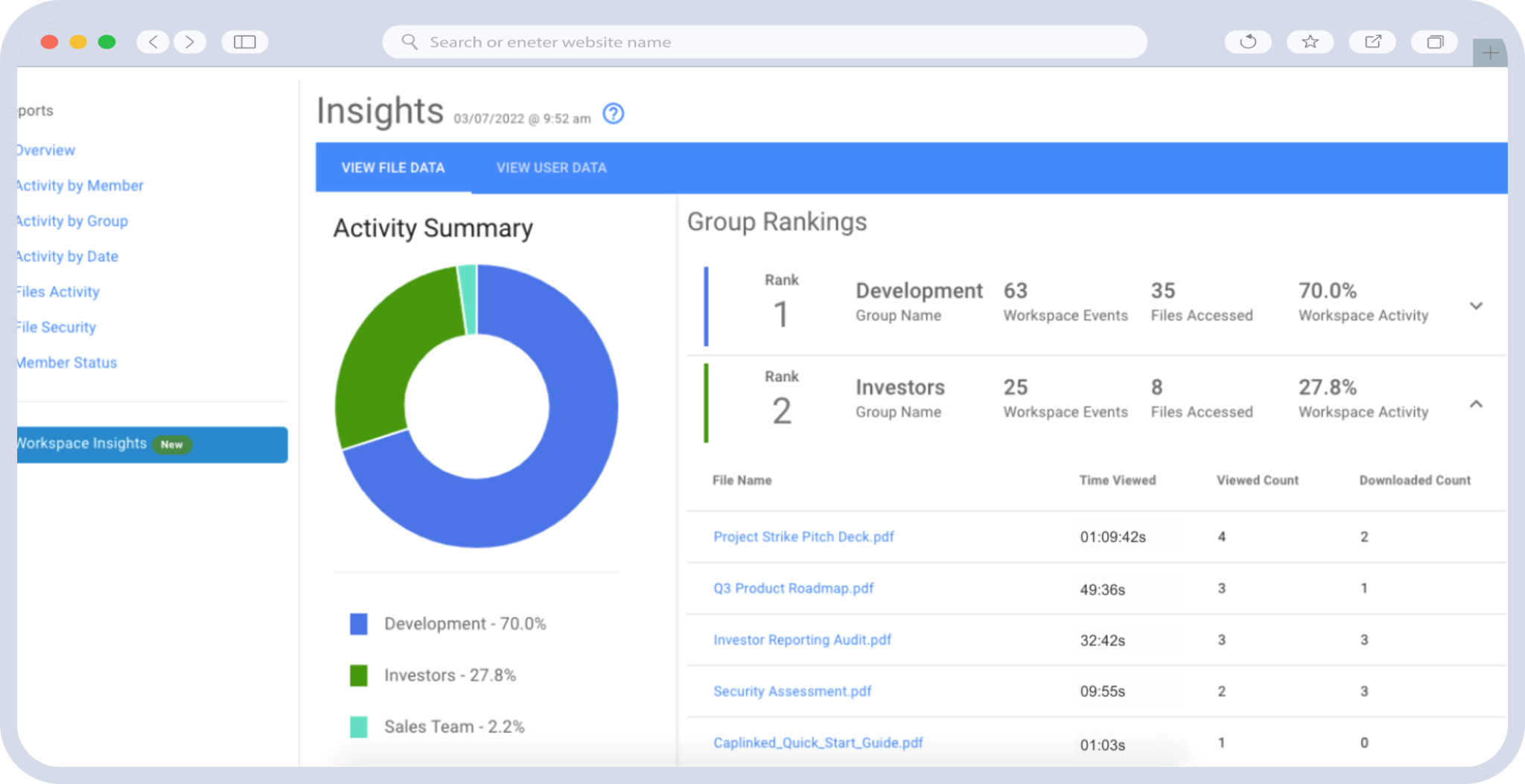
Activity Tracker reports document-level views and downloads and the audit trail archives every workspace interaction, exportable. Encryption is 256-bit AES at rest and TLS in transit, with independent SOC 2 assessment alongside ISO 27001, PCI SAQ-D and FISMA, and HIPAA with HITECH requirements met. The security detail sets out which of those is a certification and which an assessment.
Rooms run plugin-free, and pricing is published rather than quote-gated, with a free trial available without a sales conversation. The wider CapLinked virtual data room covers the platform in full.
| Ready to see how the permission model works on your own documents? |
Virtual Data Room FAQ
What is a virtual data room?
A secure online space for storing confidential documents and sharing them with outside parties under controlled access. It adds permission control, rights management and an activity record on top of cloud storage.
How does a virtual data room work?
You upload documents, organize them into folders, set permissions per person and group, invite users into their groups, and run Q&A while the room records every view and download.
What is the difference between a VDR and cloud storage?
Control after sharing. Cloud storage cannot revoke a downloaded file, set permissions per person and action, or produce a document-level access record. Encryption is broadly comparable on both.
What is a virtual data room used for?
Mergers and acquisitions, due diligence, fundraising, IPOs, board and investor reporting, and legal or licensing work. Anywhere confidential documents must reach outside reviewers under control.
How much does a virtual data room cost?
It varies by provider and features. Look for published pricing rather than quote-only, and prefer flat pricing over per-page or per-storage models, which penalize thorough disclosure.
Is a virtual data room the same as a deal room?
Yes. Deal room, digital data room, online data room and electronic data room all describe the same product. VDR is the most common term in transaction work.